Video editing has evolved dramatically in the past few years. With the rise of artificial intelligence, creators no longer need hours of manual editing to produce professional-looking content. One of the biggest innovations transforming modern editing workflows is ai transitions.
Transitions are the visual effects that connect two clips together. They guide viewers smoothly from one moment to the next, helping a story flow naturally. Traditionally, editors had to manually choose, adjust, and apply these effects. This process could be time-consuming and required advanced editing skills.
Today, ai transitions simplify the entire process. AI-powered editing tools can analyze scenes, detect motion, and automatically apply the best transition between clips. This saves time while improving the visual quality of videos.
From YouTube creators to social media influencers and marketing teams, more people are now using AI-powered editing tools to create polished videos faster. In this guide, we’ll explore:
- What ai transitions are
- How AI creates smart video transitions
- The benefits of using AI-powered transitions
- Popular tools that generate them automatically
- How creators use them on YouTube, TikTok, and Instagram
- Tips for using AI transitions effectively
What Are AI Transitions?
Definition of AI Transitions
AI transitions are automatically generated visual effects that connect video clips using artificial intelligence. Instead of manually selecting transition effects, AI-powered editing tools analyze the video and apply the most suitable transition automatically.
These transitions rely on machine learning algorithms that evaluate movement, scene changes, and visual elements between clips. The result is smoother and more natural transitions that improve storytelling.
AI transitions are widely used in modern video editing tools for content creation, marketing videos, online courses, and social media.
Short answer: What Are AI Transitions?
AI transitions are AI-powered video editing effects that automatically connect clips smoothly. These transitions are created using machine learning algorithms that analyze scenes, motion, and visual elements in a video.
They are commonly used in modern editing tools to:
- Automatically generate smooth transitions between clips
- Improve visual storytelling and flow
- Save time during the editing process
- Enhance videos for social media platforms like YouTube, TikTok, and Instagram
Many AI editing tools now include automatic video transitions AI features, allowing creators to produce professional-quality videos with minimal manual work.
How AI Creates Smart Video Transitions
AI video editing tools rely on advanced algorithms that analyze footage before applying transitions. These systems evaluate several factors, including:
- Scene changes
- Camera motion
- Object movement
- Lighting and colors
Based on this analysis, the AI selects the best transition style to maintain visual continuity.
For example, if two clips contain similar motion directions, the AI may apply a motion match transition. If the scenes are very different, it might use a fade or morph effect to create a smoother connection.
Difference Between Traditional and AI Transitions
| Feature | Traditional Transitions | AI Transitions |
|---|---|---|
| Editing process | Manual selection | Automatic suggestions |
| Time required | Time-consuming | Much faster |
| Skill level | Intermediate to advanced | Beginner-friendly |
| Customization | Fully manual | AI-assisted with customization |
| Workflow | Slower editing process | Streamlined editing |
Traditional transitions still play an important role in professional editing. However, ai transitions for video editing make the process much faster and easier for creators.
How AI Transitions Work in Video Editing
AI-powered editing tools rely on machine learning to analyze video content and determine the best way to connect clips.
Scene Recognition
AI systems can identify scene changes automatically. This feature is often called automatic cut detection.
When the software detects a new scene, it can insert an appropriate ai scene transition between clips. This prevents abrupt cuts and creates a smoother viewing experience.
Motion-Based Transition Matching
Motion matching is one of the most powerful AI editing techniques.
The AI analyzes movement in both clips and finds similarities such as:
- Direction of motion
- Speed of objects
- Camera movement
If the motion aligns, the AI may apply ai video transitions that connect the movement between clips, creating a seamless effect.
Automatic Editing Suggestions
Modern editing software can also recommend transitions automatically.
Many ai editing tools for transitions provide smart suggestions such as:
- Fade transitions for calm scenes
- Dynamic swipes for action clips
- Zoom transitions for vlog content
These suggestions help editors make faster creative decisions while maintaining professional results.
Benefits of Using AI Transitions
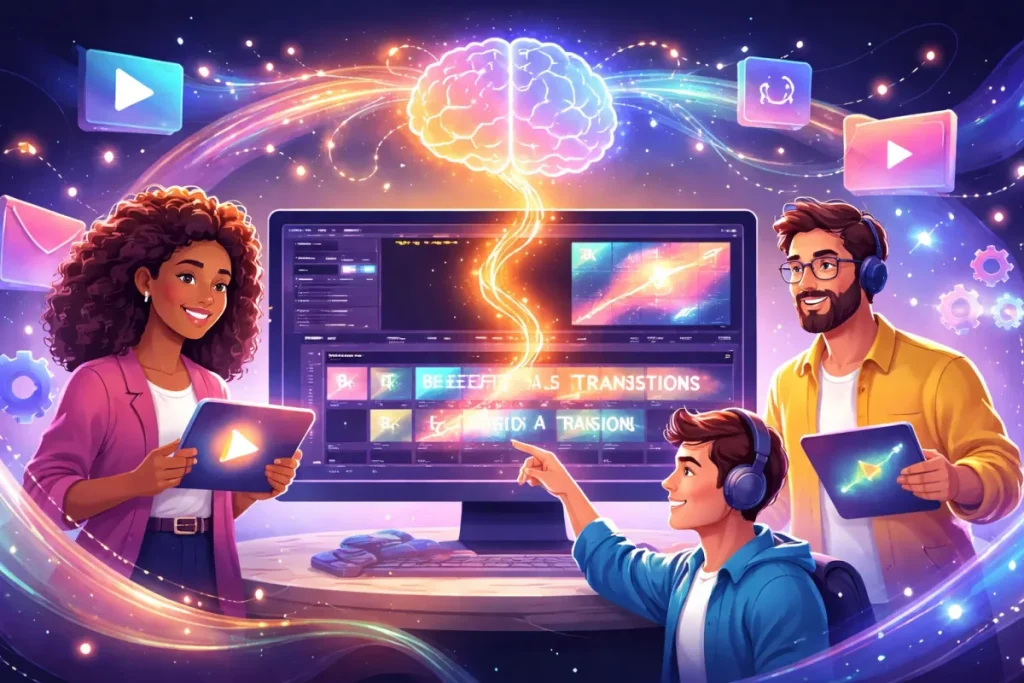
AI technology brings several advantages to video editing workflows.
Faster Video Editing
One of the biggest benefits is speed.
Instead of manually placing transitions between clips, AI tools can generate automatic video transitions AI effects in seconds. This dramatically reduces editing time.
Creators who produce frequent content—such as daily vlogs or social media posts—benefit greatly from this automation.
Professional Quality Effects
AI transitions often mimic professional editing techniques.
Because the AI analyzes motion and scene elements, the transitions usually look more natural than randomly selected effects.
This allows beginners to produce professional-quality ai transition effects without advanced editing skills.
Better Storytelling Flow
Transitions play a crucial role in storytelling. Poor transitions can disrupt the viewer’s experience.
AI-powered transitions improve the narrative flow by:
- Connecting scenes logically
- Matching visual movement
- Maintaining pacing
This creates a smoother and more engaging video.
Ideal for Social Media Content Creators
Social media platforms prioritize visually engaging content.
Creators using ai transition effects for reels can quickly produce dynamic videos for platforms like:
- YouTube
- TikTok
- Instagram Reels
Because AI speeds up editing, creators can focus more on storytelling and creativity.
Popular Types of AI Video Transitions
AI editing tools generate several different styles of transitions depending on the footage.
Smooth Fade Transitions
Fade transitions gradually blend two clips together.
They are commonly used for:
- Emotional storytelling
- Cinematic videos
- Documentary-style edits
AI can automatically detect when a fade transition is appropriate.
Motion Match Transitions
Motion match transitions connect clips based on movement.
For example:
- A camera pan continues smoothly into the next clip
- An object moving across the frame continues into another scene
These smart video transitions create a seamless visual flow.
Zoom and Swipe Transitions
These dynamic transitions are popular in social media videos.
AI editing tools apply zoom or swipe effects when they detect strong motion between clips. These effects work well for:
- Vlogs
- Travel videos
- Reels and short-form content
Morphing Transitions
Morph transitions blend shapes and objects between clips.
They are commonly used in creative storytelling and artistic edits.
AI tools can analyze visual similarities and create morphing transitions automatically.
Scene-Aware Transitions
Scene-aware transitions adjust based on the content of each scene.
For example:
- A bright outdoor scene may transition differently than a dark indoor clip
- Action scenes may use dynamic effects
These ai powered video transitions adapt intelligently to each situation.
Best Tools That Offer AI Transitions
Many modern editing platforms now include ai transition generator features.
CapCut AI
CapCut has become one of the most popular AI editing apps for creators.
Key features include:
- Automatic transitions
- AI scene detection
- Smart video transitions for reels
It’s widely used by TikTok and Instagram creators.
Adobe Premiere Pro AI Features
Adobe integrates AI through Adobe Sensei, which provides smart editing capabilities.
These features include:
- Automatic scene detection
- AI-assisted transitions
- Smart editing suggestions
You can learn more about Adobe’s AI features here.
Runway ML

Runway ML focuses on advanced AI creative tools.
It offers:
- AI video editing transitions
- Automated effects generation
- AI-powered scene analysis
Descript

Descript is known for its AI-driven editing workflow.
It includes:
- AI editing tools for transitions
- Automatic scene detection
- Easy drag-and-drop editing
Pictory AI
Pictory AI specializes in turning scripts or long videos into short clips.
Its AI automatically adds:
- Scene transitions
- Captions
- visual highlights
You may also want to explore these best ai video editing tools.
How Content Creators Use AI Transitions
AI-powered transitions are widely used across different types of content.
AI Transitions for YouTube Videos
YouTube creators use ai transitions for youtube videos to improve pacing and storytelling.
Common uses include:
- Vlogs
- Educational videos
- Tutorials
- Travel content
AI helps maintain viewer engagement with smoother scene changes.
AI Transitions for TikTok and Instagram Reels
Short-form platforms rely heavily on visual energy.
Creators often use ai transition effects for reels to:
- Create fast-paced edits
- Match transitions with music
- Maintain viewer attention
AI Transitions in Marketing Videos
Marketing teams use AI transitions to create polished promotional videos quickly.
These transitions help:
- Highlight products
- Maintain visual consistency
- Improve viewer engagement
AI Transitions for Online Courses
Educational creators use transitions to organize lessons clearly.
AI transitions help structure:
- Lecture segments
- Topic changes
- Visual examples
This makes online courses easier to follow.
Step-by-Step Guide to Creating AI Transitions
Creating AI-powered transitions is simple with modern editing tools.
Step 1: Upload Video Clips
Import all your video clips into the editing software.
Step 2: Enable AI Editing Features
Turn on AI editing tools or automatic transition features.
Step 3: Allow Scene Analysis
The AI will analyze scenes, motion, and visual elements.
Step 4: Apply Automatic Transitions
The software generates ai transitions for video editing between clips.
Step 5: Customize Effects
You can modify transition styles or timing if needed.
Step 6: Export the Final Video
Once editing is complete, export the finished video.
Tips for Using AI Transitions Effectively
AI transitions are powerful, but they work best when used thoughtfully.
Best practices include:
- Don’t overuse transitions
- Match transitions with the video’s mood
- Use consistent transition styles
- Combine AI suggestions with manual editing
- Focus on storytelling first
Transitions should enhance the video—not distract from it.
Common Mistakes When Using AI Transitions
Even with AI assistance, creators can still make mistakes.
Overusing Flashy Effects
Too many transitions can overwhelm viewers.
Simple transitions often work best.
Ignoring Video Pacing
Transitions should match the speed of the content.
Fast transitions suit energetic videos, while slower ones fit cinematic storytelling.
Using Mismatched Transitions
Different transition styles can clash if used randomly.
Maintaining consistency improves the visual experience.
Not Reviewing AI Suggestions
AI suggestions are helpful, but they’re not always perfect.
Always review the final edit before publishing.
The Future of AI Transitions in Video Editing
AI technology continues to evolve rapidly.
Future tools may include:
- Real-time editing suggestions
- AI storytelling assistants
- Automatic highlight detection
- Personalized transition styles
- Fully automated video editing workflows
As these tools improve, ai powered video transitions will become even more advanced and intuitive.
FAQs About AI Transitions
What are ai transitions in video editing?
AI transitions are automatically generated video effects that connect clips smoothly using artificial intelligence.
Are ai transitions better than traditional transitions?
AI transitions are faster and easier to create. However, professional editors may still combine AI and manual transitions for maximum creative control.
Which tools offer ai video transitions?
Popular tools include CapCut, Adobe Premiere Pro, Runway ML, Descript, and Pictory AI.
Can beginners use ai transitions easily?
Yes. Most AI editing tools are beginner-friendly and generate transitions automatically.
Are ai transitions good for YouTube videos?
Yes. They help improve storytelling, pacing, and visual flow, making YouTube videos more engaging.
Do ai transitions work for TikTok or Reels?
Absolutely. AI transitions are widely used for short-form content like TikTok and Instagram Reels.
Are ai transition generators free?
Some AI editing tools offer free versions, but advanced features may require paid subscriptions.
Final Thoughts on AI Transitions
Artificial intelligence is transforming the way videos are edited. Tasks that once required hours of manual work can now be completed in minutes using ai transitions.
These AI-powered tools analyze scenes, detect motion, and apply the most suitable transitions automatically. The result is smoother storytelling, faster workflows, and professional-quality videos.
Whether you’re a beginner creator or an experienced editor, experimenting with ai transitions can dramatically improve your editing process.
As AI technology continues to evolve, the future of video editing will become even more automated, creative, and accessible.
Creators who embrace these tools today will be better prepared for the next generation of digital storytelling.