What if studying could feel a little less like a chore? You can dump all your notes into some AI, get an outline, pull out the important stuff, figure out your essay plan, and you’re done. In 2026, there’s a bunch of tools that actually make this stuff way easier. It’s not just ChatGPT, there are over 20 options out there- such as Quizlet, Elicit, Otter.ai and many more options that aren’t as popular.
Types Of AI Study Tools
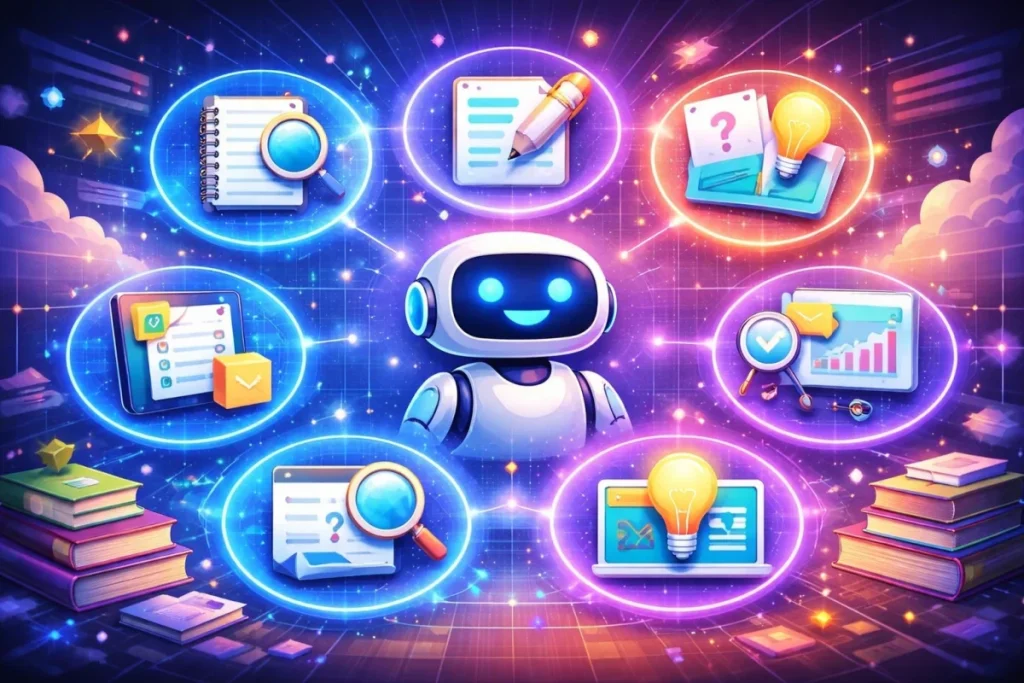
Sometimes it’s the little things that make studying annoying. AI can help a lot with those, even if it can’t do the actual studying for you. You’ve got plenty of options to try: Consider using study tools powered by AI to streamline your learning process. These innovative resources can assist with everything from organizing notes to generating personalized quizzes. By leveraging technology, you can maximize your study efficiency and focus on what truly matters: understanding the material.
- AI Writing Assistants to fix grammar and smooth out sentences.
- AI Note and Research Managers to keep notes, PDFs, and highlights in one place and show how ideas connect.
- AI Question and Answer Tools to answer questions quickly and often show sources.
- AI Study and Review Tools to repeat hard concepts with quizzes or flashcards.
- AI Problem-Solving Tools to guide you through problems step by step.
- AI Visualization and Presentation Tools to turn messy notes into charts or slides that make sense.
- AI Workflow and Project Trackers to track deadlines, tasks, and projects so you don’t forget anything.
Best AI For Students: Overview Of The Top Tools in 2026
It’s very hard to pick a specific “best” option, because there’s just so many ways AI can help you study – so we’ve gathered up a mixed list of every type of tool. As we explore the diverse applications of AI in various fields, it’s essential to consider ai design principles for architecture. These principles can enhance the efficiency and creativity of architectural designs, allowing professionals to create innovative structures that respond to environmental challenges. Incorporating AI into the design process not only streamlines workflows but also inspires new forms and functionalities in architecture. Exploring the best ai tools for students 2026 can significantly enhance learning experiences and enable innovative approaches to problem-solving. With the rapid advancement of technology, these tools are becoming more tailored to meet the unique needs of students across various academic disciplines. By leveraging these resources, students can achieve greater academic success and develop skills that are essential for the future workforce.
1. Agent Factory: Multi-Agent AI Workflow Platform
Best for structured multi-step research workflows
Agent Factory will let multiple agents handle tasks at the same time, passing notes, organizing references, and keeping context flowing. The dashboard can show connections across agents, letting workflows expand naturally as updates appear.
2. ChatGPT: General-Purpose AI Assistant
Best for brainstorming, drafting, and reasoning across subjects
ChatGPT can follow threads of conversation, layering explanations, examples, and code snippets while context stretches along behind them. It will maintain coherence across multiple turns, letting ideas develop smoothly.
3. Google Gemini: Integrated Multimodal AI Assistant
Best for collaborative Google Workspace study workflows
Google Gemini can slide summaries, tables, and visuals into Docs, Sheets, and Slides while content develops. It will adjust to collaborators’ edits as they appear, letting the workspace stay flexible and interactive.
4. Grammarly: Writing Quality Control System
Best for refining academic writing
Grammarly spots grammar, spelling, and style issues while you write, helps sentences fall into place, and even suggests small tone tweaks so your paragraphs read smoothly
5. Notion AI: AI-Enhanced Knowledge Workspace
Best for organizing notes and research projects
Notion AI will link pages, blocks, and tables while ideas expand across the workspace. It can draw connections between different notes, letting structure emerge naturally as new content arrives.
6. Quizlet: AI Flashcard and Practice System
Best for memorization and exam preparation
Quizlet will rotate flashcards and quizzes based on difficulty, showing harder points more often while easier ones fade. It can track progress over time, keeping study cycles steady and effective.
7. Perplexity AI: Retrieval-Augmented Answer Engine
Best for research with citations and fact verification
Perplexity AI can collect answers with inline citations while follow-up questions appear alongside initial results. It will sustain context across searches, letting research flow without losing track of sources.
8. Elicit: Research Paper Discovery and Analysis System
Best for literature reviews
Elicit can extract methods, results, and key findings from papers while tables organize themselves neatly. It will allow comparisons to form gradually, letting trends and patterns become clear across studies.
9. Wolfram Alpha: Computational Knowledge Engine
Best for precise computations and symbolic problem solving
Wolfram Alpha can work through calculations, plots, and symbolic solutions step by step. It will let visualizations adjust alongside formulas, keeping complex problems clear and manageable.
10. Otter.ai: Speech-to-Text Transcription System,
Best for lectures, seminars, and meeting capture
Otter.ai can capture audio and turn it into text while labeling speakers and highlighting keywords. It will create transcripts with layers of context, letting you search and review discussions smoothly.
11. Socratic by Google: Problem Recognition and Explanation System
Best for step-based problem solving
Socratic can break problems into smaller steps while visual hints and examples appear alongside explanations. It will guide understanding gradually, letting each solution unfold clearly.
12. QuillBot: Text Paraphrasing and Transformation Engine
Best for rewriting and summarization
QuillBot can redo sentences. It can also adjust flow and slide synonyms into text. It will let paragraphs develop naturally while preserving meaning, so the writing is more readable without forcing changes.
13. LanguageTool: Multilingual Grammar and Style Checker
Best for non-English writing
LanguageTool can scan text in multiple languages, flagging grammar and style issues inline. It will suggest adjustments gently, letting paragraphs gain clarity while maintaining a natural tone.
14. DeepL Write: Neural Text Refinement System
Best for improving phrasing and fluency
DeepL Write can smooth phrasing, tweak tone, and adjust sentences while paragraphs expand. It will help content read naturally while maintaining the author’s voice.
15. Readwise Reader: Reading Ingestion and Knowledge Retention System
Best for long-term research libraries
Readwise Reader can collect highlights, notes, and transcripts, resurfacing key points at intervals. It will let insights solidify gradually, keeping important ideas circulating without forcing you to review.
16. Evernote AI: AI-Augmented Note Database
Best for organizing large personal archives
Evernote AI can index notes, PDFs, and web clips while themes start to appear across collections. It will let you search quickly and track connections as archives expand over time.
17. NotebookLM: Source-Constrained Document Analysis System
Best for studying from fixed materials
NotebookLM can generate summaries, study guides, and FAQs while keeping output anchored to your sources. It will let context accumulate steadily, helping comprehension without straying from the material.
18. ChatPDF: PDF-Specific Query Engine
Best for extracting information from dense documents
ChatPDF can index PDFs and show answers with page references as queries develop. It will let points and highlights appear gradually, keeping navigation smooth even across multiple files.
19. GoodNotes: Digital Handwritten Note Platform
Best for tablet-based study workflows
GoodNotes can convert handwriting to searchable text while shaping notes and syncing across devices. It will let templates and flashcards slide into place, keeping the digital workspace organized and flexible.
20. AskCodi: Code Explanation and Generation System
Best for programming coursework
AskCodi can parse code, explain logic, and generate snippets while unit tests run alongside. It will let projects grow steadily, showing how different sections fit together without abrupt jumps.
21. Tutor AI: Topic-Based Lesson Generator
Best for structured micro-lessons
Tutor AI can lay out lessons with examples, explanations, and checkpoints while concepts flow into view gradually. It will help comprehension build steadily while maintaining a relaxed pace. ai tools for special education teachers can further enhance this individualized learning experience, offering tailored resources that address diverse learning styles. These tools can provide interactive activities and personalized feedback, ensuring that each student’s unique needs are met with precision and care. Educators can leverage such technologies to create an inclusive classroom environment that fosters growth and engagement. In addition to these benefits, the best ai tools for teacher efficiency can streamline administrative tasks, allowing educators to focus more on teaching. Tools that automate grading, attendance tracking, and lesson planning can save hours each week, ultimately leading to a more productive classroom experience. By embracing these innovative resources, teachers can enhance their effectiveness and dedicate more time to fostering meaningful connections with their students.
22. Gamma: AI Presentation Generation System
Best for academic slides and reports
Gamma can shift layouts, visuals, and text while slides evolve. It will let content adjust smoothly, keeping the deck flexible and letting ideas take shape naturally.
23. Caktus AI: Academic Multi-Function AI Suite
Best for interdisciplinary coursework
Caktus AI can link writing, math, and code sections, letting updates ripple across the workspace. It will help different parts of a project interact naturally, keeping interdisciplinary work cohesive.
24. Exam AI: Automated Assessment Generation System
Best for exam practice
Exam AI can generate quizzes, flashcards, and mock exams while difficult topics appear more often than easier ones. It will let study sessions flow steadily, keeping practice challenging but manageable.
25. Goblin Tools: Task Decomposition and Estimation Toolkit
Best for planning complex assignments
Goblin Tools can break tasks into smaller steps and estimate time requirements. It will let progress appear gradually, giving projects a steady rhythm without feeling overwhelming.
26. Genio Notes: Learning-Process-Oriented Note System
Best for active recall and exam preparation
Genio Notes can convert notes into flashcards and spaced repetition cycles. It will show difficult concepts more frequently while letting simpler ones fade, keeping review sessions smooth and balanced.
27. Mendeley: Reference and PDF Management System
Best for academic citation workflows
Mendeley can organize PDFs, notes, and references while highlights and bibliographies appear in context. It will maintain links between projects, keeping research collections coherent over time.
28. Zotero: Open-Source Research Reference Manager
Best for long-term source archiving
Zotero collects everything from citations to PDFs, and attachments- syncing everything across your devices. Any tags and search results stay organized, so your library grows without becoming messy
How To Choose The Best AI Study Tool

There’s too much AI out there to pick just one “best.” There’s no need to sweat it- the more tools you use, the better. You can just pick a few that fit what you actually need and call it your workflow. Here’s an example:
- Draft and polish text > Grammarly, QuillBot
- Organize research > Notion AI, Evernote
- Remember stuff > Quizlet, Genio Notes
- Solve problems > Wolfram Alpha, Socratic
- Code > AskCodi
You can have one hub app that keeps everything in one place, while the rest do their jobs automatically. The overall workflow can be adjusted as you go.
Conclusion
Some of the ways to use these Best AI for students might surprise you: letting it suggest essay angles you wouldn’t have considered, asking it to quiz you in weird ways, or even just having it tidy your notes while you brainstorm. The tools are flexible- you just have to explore what feels useful for you. detecting AI usage in universities is becoming increasingly important as educators seek to balance innovation with academic integrity. Institutions are implementing guidelines to ensure that students are utilizing these tools effectively while maintaining their own intellectual development. As a result, students can harness AI to enhance their learning experiences without compromising the quality of their work.