Between client work and unfinished side projects, I rarely start new apps anymore. The setup cost alone is enough to stall momentum.
So when I asked myself, “Can I make an iOS app using Bolt AI?”, what I really meant was this: could I get past the blank screen without burning a whole weekend?
The short answer is yes- at least far enough to solidify the idea. I ran that experiment, and if you’re trying to solve a similar problem , what I found should still help you decide whether it’s worth your time.
Can I Make an iOS App Using Bolt AI?
Yes, using Bolt AI, you can turn simple prompts into working screens and interactions.
You may view the app immediately on your device through Expo. You will need Xcode and an Apple Developer account for publishing.
Having a completed prototype could make the final stages smoother and should keep your project moving.
What a Beginner Can Realistically Build
Beginners can get a working app fast, seeing screens and interactions come together as they explore- it’ll feel much less like coding from scratch.
Simple utility apps
Basic tools take little to no time to build up, because Bolt AI takes care of the structure. Any adjustments show results immediately, which helps you see what needs fixing or improving.
MVP-level projects
Prototypes don’t have to be perfect. You can test the core idea, see it in action, and tweak without stress. Every iteration will show results, point out what to fix, and build your confidence along the way.
How to build an iOS app with Bolt AI
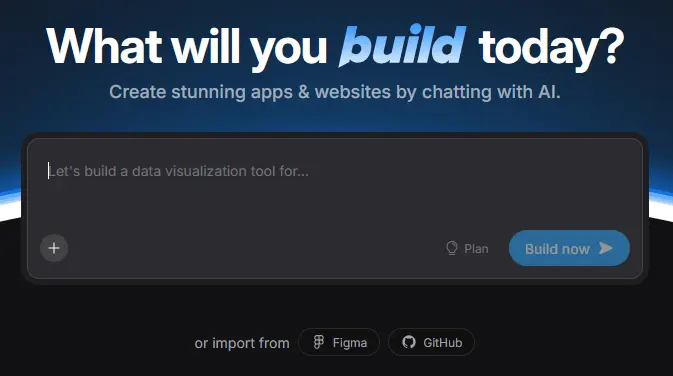
- Start on Bolt.new with a template you like.
- Clone a Bolt × Expo template to set up your app quickly.
- Type prompts and watch Bolt AI create screens and interactions.
- Add simple features like lists or forms to make your app work.
- Scan with Expo Go to see your app on your device instantly.
- Test and tweak until everything clicks.
- Install Xcode to prep for publishing.
- Sign with Apple Developer to submit your app.
- Check in Xcode that it runs without issues.
- Use extensively and make sure it feels right.
- Finish setup with certificates, profiles, and backend services.
Every tweak brings you closer; don’t worry about perfection. You’ll learn and improve with every step.
What Experienced Developers Use Bolt AI For
Even if you know Swift well, Bolt AI can take care of the boring stuff so you can spend more time on the parts of your app that actually matter and make sense to the people who will use it.
Speed Up Repetitive Work
Bolt AI handles the routine setup, so you don’t have to worry about layouts or boilerplate and can focus on how the app actually feels and flows.
Prototype Features Fast
You can get screens running in no time, try out ideas, and see what works without worrying about locking yourself into anything too soon.
Try Ideas Without Worry
Adding or removing features is easy, and small changes won’t break the rest of your app, so you can play around and test new things without stress.
Turn AI Code into Real Code
The code Bolt AI gives you is just a starting point—you can tweak it and polish it until it’s ready for real users.
Focus on What Matters
With the boring, repetitive done, you can focus on shaping the app experience to make it smooth, reliable, and enjoyable for everyone.
Where Beginners Usually Get Stuck

When you’re new to Bolt AI, the app might run at first, but understanding how the pieces fit and how iOS expects things can be tricky. These points usually stop beginners from moving smoothly from prototype to finished app.
- Understanding the generated code: Code runs but isn’t always easy to follow.
- Debugging in Xcode: Problems can appear when running the app.
- Apple ecosystem requirements: Manual steps for certificates and signing are required.
- Setting up backend features: Authentication and data still need your setup.
- Testing and validation: Previews only show basic behavior.
- Seeing where effort is needed: These areas show what you must handle manually.
What Skills You Still Need (Even With Bolt AI)
Even if Bolt AI generates code, you’ll need core development skills to get a working, user-ready app. To handle setup, errors, and improvements, you should be able to:
- Look at and adjust Swift or SwiftUI code.
- Run your app in Xcode and watch for problems.
- Make the interface work well and follow Apple’s design.
- Check that features actually do what they should.
- Hook up authentication, data, and APIs correctly.
- Take care of signing and App Store submission.
- Refine the AI code so it’s solid and maintainable.
Final Verdict: Is It Easy To Make An iOS App With Bolt AI?
You can definitely make an iOS app using Bolt AI. It’s a starting point. The screens will appear quickly, but finishing, testing, and publishing are your responsibility. But it won’t take you too far- the AI only helps with scaffolding, you’d still need to put hours of work into it.