Many students rely on writing tools to improve their assignments. One of the most popular tools is Grammarly, which helps fix grammar mistakes, improve clarity, and polish sentences. At the same time, universities often require students to submit assignments through Turnitin, a well-known plagiarism detection platform.
Because both tools are widely used in academic settings, many students ask the same question: can turnitin detect grammarly?
The confusion usually comes from mixing up grammar editing, paraphrasing, and AI writing detection. Some students worry that using Grammarly might cause Turnitin to flag their work as AI-generated or plagiarized.
In reality, Grammarly and Turnitin serve very different purposes. Grammarly is a writing assistant, while Turnitin is an academic integrity tool designed to check for plagiarism and detect possible AI-generated content.
In this article, we’ll explain how both tools work, whether Turnitin can detect Grammarly edits, and how students can use Grammarly safely without risking issues with plagiarism or AI detection systems.
Short Answer: Can Turnitin Detect Grammarly?
The simple answer is no—Turnitin cannot directly detect Grammarly usage.
Grammarly mainly works as a grammar and style editor, not a content generator. That means Turnitin does not see Grammarly as a source or a writing tool.
However, a few important details matter:
- Basic grammar corrections from Grammarly are completely safe.
- Sentence clarity suggestions usually do not trigger plagiarism detection.
- AI writing features in Grammarly could potentially affect AI detection systems.
- Turnitin checks similarity and writing patterns, not the tools used to edit text.
So while Turnitin cannot detect Grammarly itself, certain types of AI-generated or heavily rewritten content might still be flagged by AI writing detection tools used by Turnitin.
Understanding how both platforms work makes the situation much clearer.
What Is Grammarly?
Grammarly is a digital writing assistant designed to help users improve grammar, spelling, punctuation, and clarity.
It works through a browser extension, desktop app, and web editor. Millions of students, professionals, and writers use it to polish their writing.
Grammarly has several features that support different aspects of writing.
Grammarly Grammar and Style Checker
The most common feature is Grammarly’s grammar and style checker.
This tool scans text and suggests corrections for:
- Grammar mistakes
- Spelling errors
- Punctuation issues
- Word choice problems
- Sentence clarity
For example, Grammarly might change a sentence like:
“This research show many important result.”
to
“This research shows many important results.”
These types of edits are simple grammar fixes. They do not create new content and therefore do not affect plagiarism detection systems.
Grammarly AI Writing Assistant
Grammarly has also introduced a grammarly ai writing assistant that can help rewrite or generate text.
This feature may suggest:
- Sentence rewrites
- Tone adjustments
- Paragraph expansion
- Content ideas
This moves Grammarly beyond simple editing into AI-assisted writing.
If students rely heavily on these features, the text may start to resemble AI-generated content, which could potentially interact with ai writing detection tools like those used by Turnitin.
Grammarly Plagiarism Checker
Grammarly also includes a grammarly plagiarism checker.
This tool compares text against:
- Web pages
- Academic papers
- Online publications
However, Grammarly’s plagiarism tool is not as extensive as specialized plagiarism detection software used by universities.
For example, Turnitin compares submissions with a massive database of academic papers and student assignments that Grammarly cannot access.
Because of this, many institutions still rely on Turnitin as their main academic integrity system.
What Is Turnitin?

Turnitin is a widely used academic integrity platform designed to detect plagiarism and, more recently, AI-generated text.
Universities around the world use Turnitin to ensure students submit original work.
The platform analyzes writing and compares it against a large database of content.
Plagiarism Detection System
Turnitin’s primary function is detecting copied content.
It compares submissions against:
- Academic journals
- Student papers
- Books
- Websites
- Online publications
After scanning the document, Turnitin generates a similarity report showing where matching text appears.
This makes Turnitin one of the most powerful plagiarism detection software systems used in higher education.
Turnitin AI Detection Technology
In recent years, Turnitin introduced turnitin ai detection features to identify AI-generated writing.
These systems analyze patterns that often appear in machine-generated text.
Some signals include:
- Highly predictable sentence structures
- Uniform writing patterns
- Lack of human variation
- Overly consistent grammar
This raises a common question related to does turnitin detect ai writing.
The answer is yes—Turnitin attempts to identify AI-generated text, but the technology is still evolving and not always perfect.
How Universities Use Turnitin
Most universities use Turnitin as part of their academic integrity tools.
Typical uses include:
- Checking essays for plagiarism
- Reviewing similarity reports
- Detecting possible AI-generated content
- Teaching students proper citation practices
Importantly, Turnitin does not track which writing tools students use.
Instead, it analyzes the final text submission.
Can Turnitin Detect Grammarly?
This brings us back to the main question: can turnitin detect grammarly?
The short answer remains no. Turnitin does not identify or track whether Grammarly was used during editing.
Turnitin evaluates the text itself, not the tools used to produce it.
However, different types of Grammarly edits can affect results in different ways.
Grammar Corrections
Basic grammar fixes do not cause issues.
Examples include:
- Fixing spelling errors
- Adjusting punctuation
- Improving sentence clarity
These edits simply polish existing writing.
They do not create copied content, so they do not affect plagiarism detection.
Sentence Rewriting
Grammarly sometimes suggests rewriting sentences to improve clarity.
For example:
Original sentence:
“The experiment give many important information.”
Grammarly suggestion:
“The experiment provides important information.”
These edits still reflect the student’s original ideas.
Because of that, they generally do not trigger Turnitin flags.
AI Writing Features
Things become more complex when Grammarly’s AI writing assistant generates new sentences or paragraphs.
If a student lets AI write large portions of an essay, Turnitin’s ai writing detection tools might flag the content.
This is not because Turnitin detects Grammarly specifically.
Instead, it detects patterns that resemble AI-generated text.
Plagiarism vs AI Detection
Another misconception involves plagiarism.
Students sometimes worry that Grammarly edits will trigger plagiarism reports.
That usually doesn’t happen.
Turnitin only flags content when it matches existing sources. Grammarly editing does not introduce copied text.
If you’re curious about how detection systems operate, our guide on how AI detection tools work explains the technology behind these systems.
How Turnitin Detects AI Writing

Understanding Turnitin’s detection process helps explain why Grammarly editing rarely causes problems.
Turnitin uses statistical and linguistic analysis to evaluate text.
Pattern Recognition in AI Text
AI systems often produce text with consistent patterns.
Examples include:
- Similar sentence lengths
- Repeated phrasing structures
- Predictable word sequences
Detection models compare these patterns with known AI-generated content.
Language Predictability
Another factor is predictability.
Human writing tends to include variation and occasional imperfections.
AI text is often too consistent.
This makes it easier for detection systems to identify machine-generated content.
Limitations of AI Detection
Even the best ai writing detection tools are not perfect.
False positives can occur, especially when:
- Writing is very formal
- Grammar is extremely polished
- Sentences follow predictable structures
For a deeper comparison of writing technologies, you might explore our AI writing tools comparison guide.
Does Grammarly Trigger Turnitin AI Detection?
In most situations, Grammarly will not trigger Turnitin AI detection.
Simple edits are completely normal for student writing.
Examples that are generally safe include:
- Grammar corrections
- Punctuation fixes
- Clarity improvements
- Vocabulary suggestions
However, problems may occur when students rely heavily on AI rewriting features.
Situations that could raise suspicion include:
- Entire paragraphs rewritten by AI
- Essays generated using AI prompts
- Content heavily paraphrased by automated tools
Some students also combine Grammarly with tools listed in our best paraphrasing tools guide, which may produce text patterns that resemble AI output.
Grammarly vs Turnitin: Key Differences
Many students confuse the roles of these two platforms.
The table below highlights the main differences in the turnitin vs grammarly comparison.
| Tool | Primary Purpose | Detects Plagiarism | AI Detection |
|---|---|---|---|
| Grammarly | Writing assistant | Yes (limited) | No |
| Turnitin | Academic integrity tool | Yes | Yes |
Grammarly helps improve writing quality, while Turnitin evaluates originality and authenticity.
Because their goals are different, they usually work together rather than against each other.
Students often use Grammarly to edit their essays before submitting them to Turnitin.
You can also explore our guide on best plagiarism checkers if you’re comparing different detection tools.
When Grammarly Is Safe to Use for Academic Work
Grammarly can be very helpful for students when used responsibly.
It is generally safe for academic writing when used for editing and proofreading.
Safe uses include:
- Correcting grammar mistakes
- Improving sentence clarity
- Fixing punctuation errors
- Adjusting tone and readability
- Checking for spelling errors
These edits simply refine writing without changing the original ideas or authorship.
Many universities even encourage students to use grammar tools as part of responsible writing practices.
When Grammarly Could Cause Problems
Problems usually occur when students rely on AI-generated content instead of their own writing.
Potential issues include:
- Using AI to write large sections of an essay
- Letting Grammarly generate paragraphs
- Combining AI writing tools with paraphrasing software
- Submitting AI-generated content as original work
This is where grammarly editing vs ai writing becomes important.
Editing improves writing. AI writing creates new content.
If the final text is mostly AI-generated, Turnitin’s turnitin ai detection system may flag it.
Some students also try to bypass detection using AI content humanizer tools, but this approach carries academic risks.
Tips for Using Grammarly Without Triggering Turnitin
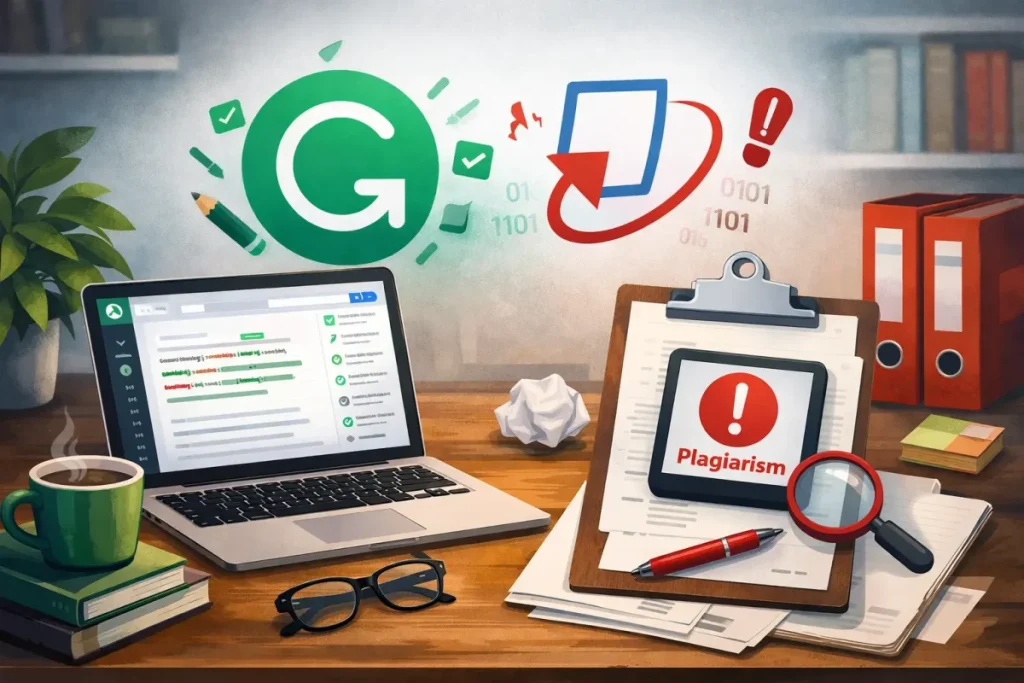
Students can use Grammarly safely by following a few simple guidelines.
1. Write your own draft first
Start with your own ideas and structure before using editing tools.
2. Use Grammarly for proofreading
Focus on grammar corrections rather than automatic rewriting.
3. Avoid full AI text generation
Do not rely on AI to write entire paragraphs or essays.
4. Review all suggestions carefully
Make sure every change still reflects your original meaning.
5. Understand university policies
Some institutions have rules about AI writing tools.
Following these steps helps maintain academic integrity while still benefiting from helpful editing tools.
FAQs About Turnitin and Grammarly
Can Turnitin detect Grammarly?
No. Turnitin cannot detect whether Grammarly was used to edit a document. It only analyzes the final text for plagiarism and AI writing patterns.
Does Grammarly count as plagiarism?
No. Grammarly editing does not create plagiarism. It only improves grammar and clarity.
Does Turnitin detect AI writing?
Yes. Turnitin has developed AI detection technology that attempts to identify machine-generated text.
Can Turnitin detect paraphrasing tools?
Turnitin may flag heavily paraphrased content if it still resembles existing sources or shows patterns associated with automated rewriting.
Is Grammarly allowed in universities?
Most universities allow Grammarly for grammar editing and proofreading.
Can Grammarly rewrite essays?
Grammarly’s AI assistant can suggest rewrites, but students should use it carefully and maintain their own authorship.
Is Grammarly safe for academic writing?
Yes. Grammarly is generally safe when used for editing rather than generating entire pieces of content.
Final Verdict – Can Turnitin Detect Grammarly?
So, can turnitin detect grammarly?
The answer is no. Turnitin cannot see or identify whether Grammarly was used during the writing process.
Turnitin simply analyzes the text submitted, checking for plagiarism and possible AI-generated writing patterns.
When Grammarly is used for grammar correction, clarity improvements, and proofreading, it does not cause problems with Turnitin.
However, issues can arise when students rely heavily on AI-generated writing or automated paraphrasing tools instead of their own work.
The best approach is simple:
- Write your own ideas.
- Use Grammarly to polish your writing.
- Avoid AI-generated essays.
Used responsibly, Grammarly can be a helpful writing assistant while Turnitin continues to serve its role as an academic integrity safeguard.