Choosing the right AI tool for logo design isn’t as simple as picking “the best generator.” It depends on how you approach branding.
Some tools, like Ideogram, focus on instant visual output—you type a prompt and get dozens of logo concepts within seconds. Others, like ChatGPT, don’t generate logos directly but help you build the strategy, naming, and creative direction behind a strong brand identity.
That’s exactly why many users are confused:
👉 Should you use Ideogram for speed, ChatGPT for strategy—or both together?
In this guide, you’ll get a clear, experience-based comparison of Ideogram vs ChatGPT for logos, including:
- Which tool actually produces better logos (and in what situations) when considering the use of stable diffusion?
- Real workflows that save time and improve results
- Hidden limitations most comparisons ignore
- A simple decision framework you can apply immediately
By the end, you’ll know exactly which tool to use—and how to combine them for the best possible outcome.
Ideogram vs ChatGPT for Logos — Which One Should You Actually Use?
If you’re looking for a quick answer, here it is:
| If your goal is… | Best choice |
|---|---|
| Generate logo visuals instantly | Ideogram |
| Build brand identity, naming, and messaging | ChatGPT |
| Create a professional, scalable logo system | Use both together |
In practice, these tools are not competitors in the traditional sense—they solve different parts of the same problem.
- Ideogram excels at Visual exploration
- ChatGPT excels at thinking, structuring, and refining ideas
👉 The strongest results almost always come from a hybrid workflow, where ChatGPT defines the direction and Ideogram generates the visuals.
Executive Summary (Quick Verdict)
At a high level, comparing Ideogram and ChatGPT for logo design is really about execution vs strategy.
Ideogram is built for speed, making it user-friendly for content creation. Within minutes, you can generate dozens of visual concepts, experiment with styles, and quickly narrow down options. However, without a clear brand direction, many of these outputs feel generic or inconsistent.
ChatGPT, on the other hand, doesn’t create logos directly—but it dramatically improves the quality of your logos by defining:
- brand personality
- positioning
- visual constraints
- naming and messaging
This makes it especially powerful in the early stages of logo design, where clarity and readable text matter more than visuals.
Final Verdict by Use Case
| User Type | Recommended Approach |
|---|---|
| Solo founders / beginners | Hybrid (ChatGPT + Ideogram) |
| Designers | Ideogram + manual refinement |
| Agencies / branding teams | ChatGPT-first, then visual tools |
👉 Bottom line:
If you only use Ideogram, you get fast but often shallow results that may lack the depth of a creative workflow.
If you only use ChatGPT, you get strong ideas but no visuals.
Combining both gives you the best balance of speed, quality, and brand consistency.
Ideogram vs ChatGPT for Logos — Side-by-Side Comparison
To understand the difference more clearly, here’s a direct comparison across the most important factors:
| Feature | Ideogram | ChatGPT |
|---|---|---|
| Logo creation | Direct image generation | No native image output |
| Speed | Very fast (seconds per batch) | Fast (but requires workflow) |
| Brand strategy | Limited | Strong |
| Idea generation | Visual-focused | Deep conceptual thinking |
| Customization | Style + prompt-based | Highly structured guidance |
| Best use case | Rapid prototyping | Brand definition & refinement |
The key takeaway is that Ideogram operates on the output level, while ChatGPT operates on the openai platform. thinking and planning level.
This difference has a major impact on results. Without a strong concept, even high-quality visuals can feel random. Conversely, a strong concept without visuals remains theoretical.
That’s why advanced workflows combine both layers of strategy and ai art generation.
Definitions and Context
What Is Ideogram AI and How Does Its Image Generation Work?
Ideogram is an AI image generation tool designed to create visual content from text prompts, including logos, icons, and graphic compositions.
Unlike traditional design software, Ideogram allows users to generate multiple logo variations instantly by describing their company name.
- style (minimalist, vintage, futuristic)
- color palette
- symbols or shapes
- typography direction
A typical workflow looks like this: starting with a prompt and moving through visual execution.
- Write a prompt describing the logo
- Generate multiple variations
- Select the strongest concepts
- Refine with additional prompts
One of Ideogram’s biggest strengths is its ability to produce photorealistic designs quickly. visually coherent concepts quickly, making it ideal for early-stage exploration.
However, it’s important to note that outputs are usually raster-based, which means they often require further refinement in tools like Figma or Illustrator before being used professionally.
What Is ChatGPT as an AI Tool for Prompts and Logo Workflows?
ChatGPT is a language model designed for enhancing creative workflows. text generation, ideation, and structured problem-solving.
In the context of logo design, it doesn’t replace visual tools—instead, it enhances them by helping you define:
- brand identity and positioning
- naming and tagline options
- visual direction (colors, typography, style)
- structured creative briefs
- detailed prompts for image generators
A typical workflow with ChatGPT looks like this:
- Describe your business or idea
- Generate brand positioning and tone
- Create a structured logo brief
- Turn that brief into optimized prompts
- Use those prompts in tools like Ideogram
This makes ChatGPT especially valuable in situations where users struggle with unclear branding or generic ideas.
Instead of guessing what a logo should look like, ChatGPT helps you define why it should look a certain way—leading to much stronger results.
Technical Differences Between AI Models, Image Generation, and Text Rendering
At a fundamental level, Ideogram and ChatGPT are built on completely different technologies—and this directly affects how they perform in logo design.
Ideogram is an image generation model, meaning it produces visual outputs based on learned patterns from large image datasets. Its strength lies in translating descriptive prompts into stunning ai art. immediate visual representations.
ChatGPT, by contrast, is a language model trained on text data. It doesn’t “see” images but understands structure, meaning, and relationships between concepts. This allows it to generate high-quality instructions, ideas, and frameworks Instead of visuals, consider incorporating text overlays for a stronger impact.
Key Differences Between Ideogram AI and ChatGPT Image Generation Capabilities
| Aspect | Ideogram | ChatGPT |
|---|---|---|
| Model type | Image generation AI | Language model |
| Output | Images (PNG, sometimes vector-like) | Text, prompts, structured data |
| Strength | Visual execution | Conceptual thinking |
| Weakness | Limited strategy | No native visuals |
These differences explain why neither tool fully replaces the other.
- Ideogram answers: “What could this logo look like?”
- ChatGPT answers: “What should this logo represent?”
For professional logo design, both questions are equally important.
Ideogram vs ChatGPT for Logos – AI Image Generation and Prompt Capabilities
When comparing Ideogram and ChatGPT for logo creation, the biggest mistake is evaluating them on the same level. In reality, they operate at different stages of the design process, utilizing different diffusion models.
Ideogram focuses on visual execution, while ChatGPT strengthens conceptual clarity and direction. The real question isn’t which tool is “better,” but which part of the workflow you want to optimize.
Image Quality, High-Quality Images, and Creative Output

Ideogram’s main advantage is its ability to generate instant visual concepts. Within seconds, you can explore multiple styles, compositions, and symbol ideas that would otherwise take hours to sketch manually using an ai art generator.
This makes it particularly effective in the early exploration phase, where volume and variety matter.
However, without clear guidance, outputs often fall into predictable patterns:
- overused symbols (abstract shapes, generic icons)
- Inconsistent typography
- lack of brand-specific meaning
ChatGPT approaches creativity from the opposite direction. Instead of generating visuals, it builds context and intention behind the design.
For example, it can:
- define a unique brand personality
- suggest symbolic directions (e.g., “growth through minimal geometry”)
- align visuals with messaging and audience
The result is fewer random ideas—and more perfect text.
👉 In practice:
Ideogram generates more ideas, but ChatGPT generates better-directed ideas can emerge from effective image creation techniques..
Precision, Text Rendering, and Creating High-Quality Scalable Logos
One of the most important aspects of logo design is scalability. A logo must work at 16px as well as on a billboard.
Ideogram typically produces high-quality mockups that can be further refined. high-resolution raster images, which may look sharp at first glance but often require conversion into vector format for professional use, especially when considering aspect ratios for image creation.
This introduces several challenges:
- edge imperfections after tracing
- inconsistent stroke widths
- difficulty editing shapes precisely
ChatGPT cannot generate images, but it can produce:
- SVG code for simple logos
- precise design specifications
- vector-friendly constraints (e.g., “use solid shapes, avoid gradients”)
While its SVG output is rarely production-ready, it provides a foundation for perfect text generation. clean structural starting point that designers can refine.
👉 Practical takeaway:
- Ideogram = fast visuals, extra cleanup required
- ChatGPT = cleaner structure, but no final visuals
Workflow Efficiency When Using Ideogram and ChatGPT for Creating Images
Ideogram is extremely fast when it comes to iteration. You can generate dozens of variations simply by adjusting prompts, styles, or references with text-to-image capabilities.
This makes it ideal for:
- rapid prototyping
- Exploring multiple directions
- visual brainstorming
ChatGPT, on the other hand, excels in iterative refinement of ideas.
Instead of generating new visuals, it helps you:
- refine prompts
- eliminate weak concepts
- improve clarity and consistency
The combination of both creates a highly efficient workflow:
- ChatGPT defines direction
- Ideogram generates variations
- ChatGPT refines and improves prompts
- Ideogram produces stronger results
This loop significantly reduces wasted iterations.
Customization and Brand Consistency
Brand consistency is where most AI-generated logos fail.
Ideogram allows customization through:
- Style keywords
- color constraints
- reference images
But these controls are often surface-level. Maintaining consistency across multiple outputs can be difficult without a clear underlying system.
ChatGPT solves this by enforcing visual constraints that enhance the output of an AI art generator, improving the creative workflow. structure and rules:
- consistent color systems
- defined typography styles
- Brand voice alignment
- usage guidelines
This turns logo creation from a one-off task into a repeatable system.
👉 This is especially important for:
- startups building a brand identity
- agencies working with multiple clients
- long-term brand scalability
User-Friendly AI Tool Experience and Ease of Use
Both tools are accessible, but in different ways.
Ideogram is straightforward:
- type prompt
- get results
- iterate visually
This makes it ideal for beginners who want immediate output without learning design theory.
ChatGPT requires a bit more thinking. You need to:
- describe your brand
- refine ideas
- translate concepts into prompts
While this adds complexity, it also leads to significantly better outcomes.
👉 In short:
- Ideogram lowers the barrier to entry
- ChatGPT raises the quality ceiling
Logo Types Each Tool Handles Best
Not all logos are created equal—and different AI tools perform better depending on the type.
| Logo Type | Ideogram | ChatGPT |
|---|---|---|
| Wordmark (text-based) | Medium | Strong (concept + naming) |
| Icon / Symbol | Strong | Weak |
| Mascot logo | Strong | Weak |
| Abstract logo | Strong | Medium |
| Full brand system | Weak | Strong |
Ideogram is strongest when visuals dominate, especially for symbols and icons.
ChatGPT is strongest when meaning, structure, and messaging are critical.
👉 This is why combining both tools is often the best approach.
Hidden Limitations of Ideogram AI, ChatGPT, and Generative AI Logo Tools
Most comparisons focus on strengths—but the real differences become clear when you look at the limitations.
These are the issues that actually affect whether your logo will work in the real world.
Ideogram AI Limitations in Image Generation and Text Rendering
While Ideogram is powerful for generating visuals, it has several constraints that become obvious in professional use.
One of the biggest challenges is maintaining a balance between creativity and structure in the creative workflow. text rendering. Even though image models have improved significantly, lettering in logos can still appear slightly distorted, inconsistent, or stylistically mismatched, which can affect the overall visual style.
Another issue is originality and repetition. Because outputs are based on learned patterns, many logos can feel familiar or derivative—especially when using common prompts.
There’s also the question of vector quality. Most outputs are not truly vector-based, which means additional work is required to make them production-ready.
Common practical limitations include:
- difficulty achieving clean, scalable shapes
- inconsistent alignment and spacing
- need for manual refinement in design software
👉 In short: Ideogram is excellent for inspiration—but rarely final without polishing.
ChatGPT Limitations as a Generative AI Tool for Images Using Prompts
ChatGPT’s limitations are very different.
The most obvious one is that it cannot generate images natively, which means you always need an additional tool to visualize ideas.
Even when generating SVG code, the results are often:
- too simple for real branding
- lacking stylistic nuance
- not immediately usable without editing
Another limitation is Over-structuring can hinder the ability to create innovative solutions.. While ChatGPT is great at creating detailed briefs, it can sometimes lead to overly rigid concepts that lack creative spontaneity.
👉 This makes it important to balance structure with experimentation in your creative workflow.
The Biggest Mistake Users Make
The most common mistake is trying to use only one tool.
The result in both cases is incomplete.
The best outcomes consistently come from a combined workflow, where: the focus is on the visual style and clarity of the design.
- ChatGPT defines direction
- Ideogram explores visuals
- both are used iteratively
This approach bridges the gap between creativity and execution, which is exactly what professional logo design requires.
Practical AI Workflow for Creating Images and Logos Using Ideogram vs ChatGPT
Most AI logo guides stop at theory. The real difference comes from utilizing powerful AI to refine your design process. how you combine tools in a structured workflow.
Below are three proven approaches—from fastest to most professional.
Workflow A – Using Ideogram for Fast AI Image Generation Workflow
This workflow is designed for optimizing image creation and ensuring readable text. speed and exploration. It works best if you want quick inspiration or rough concepts.
You start by defining a few basic attributes—such as your industry, tone, and preferred colors—and immediately translate them into prompts.
From there, the process becomes highly visual. You generate a large batch of variations, identify promising directions, and refine them iteratively.
Typical Process
- Define 3–5 core brand attributes (e.g., “modern, minimal, trustworthy”) to create effective concept art.
- Write a structured prompt including:
- style
- color palette
- symbol or concept
- layout
- Generate 20–50 variations
- Shortlist the best 3–5 concepts
- Refine prompts for clarity and simplicity
- Export and clean up in a vector tool
This approach is extremely fast, but it comes with a trade-off. Without a deeper strategy, many results feel visually appealing but lack a strong identity.
👉 Best for: generating concept art and mockups that resonate with your target audience.
- quick ideas
- side projects
- early brainstorming
Workflow B – Using ChatGPT Prompts to Improve AI Image Generation Workflows
This workflow flips the process. Instead of starting with visuals, you begin with clarity and structure.
ChatGPT helps you define the foundation of your brand before any logo is generated. This dramatically improves the quality of later outputs.
Typical Process
- Describe your business and target audience
- Generate:
- brand positioning
- tone and personality
- naming options
- Create a structured creative brief
- Turn the brief into precise image prompts
- Use those prompts in Ideogram
- Refine based on results
This approach takes slightly longer upfront, but it reduces randomness and leads to more intentional designs.
👉 Best for:
- startups building a brand
- agencies
- long-term projects
Workflow C – Hybrid (Best Practice for Most Users)
This is the approach that consistently produces the highest-quality logos.
Instead of choosing one tool, you combine both in an iterative loop.
You start with ChatGPT to define direction, then use Ideogram to generate visuals, and return to ChatGPT to refine and improve the mockup.
Step-by-Step Hybrid Workflow
- Use ChatGPT to define:
- brand identity
- Tone and values
- visual constraints
- Generate 3–5 highly specific prompts
- Use Ideogram to create 20–40 variations
- Select top concepts
- Return to ChatGPT and ask:
- how to improve clarity
- how to simplify design
- how to strengthen brand alignment
- Regenerate improved versions in Ideogram
- Finalize and polish in a vector editor
Why This Works (Real Advantage)
This workflow solves the biggest problem in AI design: ensuring professional results with powerful AI.
- ChatGPT removes randomness
- Ideogram removes friction in execution
Together, they create a system that is ideal for generating social media graphics.
- faster than traditional design
- more structured than pure AI generation
- scalable for real brand use
Common Mistakes in AI Logo Workflows
Even with powerful tools, most users make similar mistakes that reduce logo quality.
One of the most common issues is brand voice alignment in social media posts. overcomplicating the design. AI-generated logos often include too many details, which makes them look impressive at large sizes but unreadable when scaled down.
Another frequent problem is skipping the monochrome test. A strong logo should work in black and white, but many AI-generated designs rely heavily on gradients and effects.
There’s also a tendency to trust the first good-looking result, instead of refining and improving it.
Key Mistakes to Avoid
- Too many elements → poor scalability
- No vector cleanup → unusable for real branding
- Ignoring small-size readability (16px / 32px)
- No clear brand direction before generation
👉 Fixing these alone can dramatically improve your results.
Step-by-Step Guide to Creating High-Quality AI Images and Logos
To get the most out of Ideogram and ChatGPT, you need structured prompts. Small changes in wording can completely change the output quality.
Ideogram AI Prompt Templates for High-Quality Image Generation
A good Ideogram prompt is specific, constrained, and focused on clarity, often utilizing text-to-image techniques.
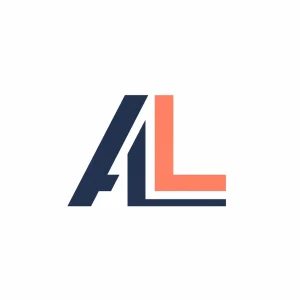
Minimal Logo Prompt
“Minimalist monogram ‘AL’, flat two-color palette (navy and coral), geometric sans-serif style, strong negative space, clean lines, centered composition, scalable, logo design, white background”
Symbol-Based Logo Prompt
“Abstract logo combining a leaf and circuit board, green gradient tones, eco-tech brand, simple outline, balanced symmetry, modern minimal style, vector-friendly, centered composition”

Premium Brand Style Prompt
“Luxury logo for a high-end skincare brand, serif typography, gold and black color palette, elegant minimal symbol, clean spacing, premium aesthetic, simple shapes, scalable design”

Using ChatGPT Prompts to Improve Ideogram AI Image Generation Results
ChatGPT becomes powerful when you use it to generate ai art. Better prompts instead of random ones can lead to more effective visual elements in your projects..
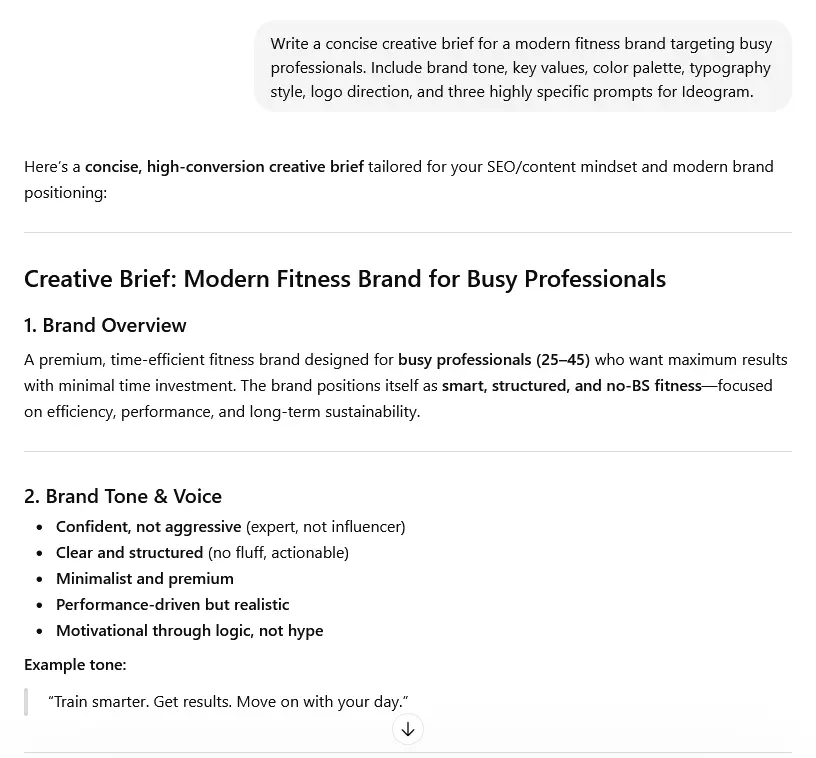
Creative Brief Prompt
“Write a concise creative brief for a modern fitness brand targeting busy professionals. Include brand tone, key values, color palette, typography style, logo direction, and three highly specific prompts for Ideogram.”
Prompt Optimization Request
“Improve this logo prompt to make it more minimal, scalable, and suitable for professional branding. Focus on clarity, contrast, and simplicity.”
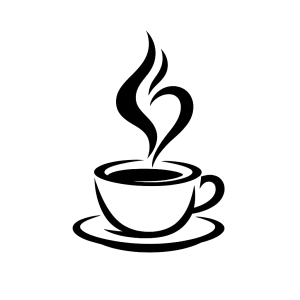
SVG Generation Prompt
“Generate a simple SVG logo of a minimalist coffee cup with steam forming an abstract shape. Use clean paths, no gradients, and ensure it scales well.”
Iteration and Refinement Prompts
Refinement is where most of the quality gains happen.
Instead of generating new ideas, you improve existing ones.
Examples:
- “Make the logo more readable at small sizes, reduce detail, increase contrast”
- “Shift the style from playful to premium, use sharper edges and darker tones”
- “Simplify the symbol and remove unnecessary elements”
These types of prompts help transform average outputs into usable logo concepts.
Real-World Use Cases of Ideogram vs ChatGPT for Logo and Image Generation
Understanding how these tools perform in real scenarios is far more valuable than theoretical comparisons. The following examples show how Ideogram and ChatGPT are actually used in practice—and what results you can expect.
Case Study 1 – Startup Logo in Under 2 Hours
A solo founder needed a logo for a SaaS productivity tool with a modern, tech-focused audience.
Instead of jumping straight into image generation, they started with ChatGPT to define the foundation:
- brand tone: minimal, efficient, professional
- audience: busy professionals
- visual direction: clean geometry, limited color palette
ChatGPT then generated three structured prompts, which were used in Ideogram to create photorealistic images.
Within 30 minutes, over 40 variations were created using Ideogram’s powerful AI photorealistic features. After two refinement rounds, the founder selected a concept and recreated it in Figma for final polishing.
Outcome
| Metric | Result |
|---|---|
| Time to first usable concept | ~45 minutes |
| Total time to final logo | ~2 hours |
| Tools used | ChatGPT + Ideogram + Figma |
👉 Key insight:
Starting with ChatGPT reduced random outputs and significantly improved the quality of Ideogram generations.
Case Study 2 – Agency Workflow for Multiple Clients
A small branding agency tested AI workflows, including a free plan for an ai art generator, to speed up early-stage logo creation for client projects.
They implemented a ChatGPT-first system:
- Generate brand strategy and creative briefs
- Create structured prompt sets
- Use Ideogram for initial concept generation
- Refine and recreate final logos manually
This allowed them to produce initial concept directions much faster, while still maintaining professional quality in final deliverables.
Outcome
| Metric | Traditional Workflow | AI-Assisted Workflow |
|---|---|---|
| Time to first concepts | 1–2 days | 1–2 hours |
| Client revisions | High | Reduced |
| Concept clarity | Medium | High |
👉 Key insight:
AI didn’t replace designers—it removed the slowest part of the process: early ideation.
What These Case Studies Show
Across both examples, a clear pattern emerges.
- Ideogram accelerates visual exploration
- ChatGPT improves direction and decision-making
The combination leads to:
- faster results
- fewer revisions
- higher-quality outcomes
This is exactly why hybrid workflows consistently outperform single-tool approaches.
Ideogram 3.0 vs Other AI Image Generation Tools

With the release of Ideogram 3.0, the gap between specialized logo generators and general AI image generation tools has narrowed significantly, making it easier for content creation.
Compared to tools like Midjourney or DALL·E, Ideogram focuses more on structured outputs that are closer to usable design assets, especially when it comes to typography and layout consistency.
However, each tool still has clear strengths depending on the use case.
Key Differences at a Glance
| Tool | Strength in Logo Design | Limitation |
|---|---|---|
| Ideogram 3.0 | Strong text rendering and layout control | Still not fully vector-native |
| Midjourney | Highly creative and artistic outputs | Weak text accuracy |
| DALL·E | Balanced image generation | Less control over design structure |
In practical workflows, Ideogram 3.0 stands out because it bridges the gap between creative image generation and structured logo design.
While tools like Midjourney are better suited for artistic exploration, Ideogram is more aligned with functional branding needs, where clarity, simplicity, and scalability matter.
👉 This makes Ideogram particularly effective when combined with ChatGPT, which handles the strategic and conceptual side of the process.
This also highlights how AI image generation tools are evolving from creative experimentation toward practical design applications.
Legal, Copyright and Ownership
One of the most overlooked aspects of AI-generated logos is ownership and legal safety.
Even if a logo looks professional, it doesn’t automatically mean you can safely use it for a business.
Who Owns an AI-Generated Logo?
In most cases, AI tools grant users commercial usage rights, but not always full exclusivity.
- Ideogram typically allows usage of generated images
- ChatGPT outputs (text, SVG) can be used freely
However, there’s a key limitation:
👉 AI-generated content may not be considered fully original in a legal sense.
This means:
- Similar outputs could exist
- While exclusivity is not guaranteed
- trademark registration may be more complex
Can You Trademark an AI-Generated Logo?
The short answer is: Yes—but with conditions.
Most jurisdictions require a logo to meet certain originality criteria. Purely AI-generated designs can struggle with this if they are too generic or resemble existing marks.
To increase your chances of successful trademark registration:
- modify and refine the design manually
- ensure uniqueness through iteration
- document your design process
- perform a trademark search before use
👉 In practice, the safest approach is to treat AI output as a starting point, not the final asset.
Common Legal Risks (and How to Avoid Them)
There are two main risks when using AI for logo design:
1. Similarity to Existing Brands
AI models are trained on large datasets, which can lead to outputs that resemble existing logos.
2. Lack of True Ownership
Even if you can use the logo, you may not fully “own” it in the traditional sense, especially when it comes to handling text in book covers.
Best Practices
- Always run a trademark search (e.g., USPTO, EUIPO)
- Avoid generic symbols and overused concepts
- Customize and refine the final design
- Keep source files (SVG, editable formats)
👉 These steps significantly reduce legal risk, especially when using powerful AI tools.
Cost, Time, and Resource Comparison of AI Image Generation Tools
Beyond features, one of the most important factors is efficiency—both in terms of time and cost, especially when using a free plan.
Cost Breakdown
Both tools are relatively affordable compared to hiring a professional designer, but they differ in how value is created through image creation.
| Scenario | Ideogram | ChatGPT |
|---|---|---|
| Subscription model | Yes | Yes |
| Cost per output | Very low | Indirect |
| Value driver | Visual generation | Strategy & prompts |
In most cases, the total cost of using both tools together is still manageable within the free tier offerings. significantly lower than traditional design services.
Time to Results
Speed is where AI tools provide the biggest advantage.
| Task | Ideogram | ChatGPT |
|---|---|---|
| First concept | Minutes | Minutes |
| Refined concept | Fast | Medium |
| Final logo | Requires polishing | Requires external tool |
The fastest overall workflow is not using one tool—but combining both an ai art generator and a diffusion model strategically.
Resource Efficiency
When used correctly, AI tools reduce:
- time spent on ideation
- number of revisions
- dependency on external resources
However, they do not eliminate the need for:
- design refinement
- quality control
- final asset preparation
👉 AI speeds up the process—but doesn’t fully replace professional design thinking in the creative workflow.
Evaluation Checklist (How to Choose the Right Tool)
Choosing between Ideogram and ChatGPT becomes much easier when you break it down into clear decision criteria.
Instead of asking “Which is better?”, ask:
👉 What do I actually need right now?
Quick Decision Framework
| If you need… | Best choice |
|---|---|
| Fast visual ideas | Ideogram |
| Strong brand foundation | ChatGPT |
| Professional results | Hybrid approach |
Key Decision Factors
When deciding, consider:
- Do you need visuals or strategy first?
- How important is brand consistency?
- Do you need vector-ready output?
- Are you building a long-term brand or a quick project?
These questions help you avoid using the wrong tool for the wrong task.
Simple Rule That Works in Most Cases
If you’re unsure, use this rule:
👉 Start with ChatGPT → then move to Ideogram → refine and finalize
This approach consistently produces better results than using either tool alone.
Frequently Asked Questions (FAQ)
Can ChatGPT create logos?
Yes, ChatGPT can generate logos as images. And it plays a critical role in the logo creation process by helping you define brand identity, generate creative briefs, and create highly optimized prompts for image tools like Ideogram.
ChatGPT can also generate simple SVG code for basic logos, but these usually require refinement before professional use.
👉 In practice, ChatGPT is best used as a strategy and ideation tool, not a standalone logo generator.
Is Ideogram better than ChatGPT for logos?
Ideogram is better for creating logo visuals quickly, while ChatGPT is better for developing the ideas behind the logo.
If you only need fast visual concepts, Ideogram is the better choice.
If you want a strong, consistent brand identity, ChatGPT adds significantly more value.
👉 The best results usually come from combining both tools.
Which AI tool is best for logo design in 2026?
There is no single “best” tool. The right choice depends on your goal:
- Ideogram is best for visual generation
- ChatGPT → best for strategy and prompts
- Combined workflow → best overall results
For professional-quality logos, a hybrid approach consistently outperforms single-tool usage.
Are AI-generated logos unique?
AI-generated logos can appear unique, but they are not guaranteed to be fully original.
Because AI models are trained on large datasets, similar designs may exist or be generated for other users, making originality essential in your creative workflow. This creates potential risks for branding and trademark registration, especially when using diffusion models.
👉 To improve uniqueness:
- refine and modify the design
- avoid generic prompts
- validate with a trademark search
Can you trademark an AI-generated logo?
Yes, but only under certain conditions.
Most trademark offices require logos to be distinctive and not too generic. Pure AI-generated logos may struggle with this if they lack originality, especially when using a basic AI art generator without a creative workflow.
To increase your chances of success, utilize clean paths, a user-friendly interface, and a plus plan.
- modify the design manually
- ensure uniqueness
- document your design process
👉 Many businesses use AI as a starting point and finalize logos with human input.
How do you convert Ideogram logos into vector format?
Since Ideogram typically generates raster images, you need to convert them into vector format for professional use, which is crucial for creating a logo.
The usual process involves:
- Importing the image into a tool like Illustrator or Figma
- Using vector tracing (automatic or manual)
- Cleaning up shapes and adjusting curves
- Exporting as SVG or EPS
This step is essential for scalability and real-world usage.
How can I improve the quality of AI-generated logos?
The biggest improvements come from better prompts and structured workflows.
Focus on:
- simplicity and clarity
- limited color palettes
- strong contrast
- scalability (works at small sizes)
Using ChatGPT to refine prompts before generating images in Ideogram can significantly improve results, especially with the plus plan features.
Conclusion and Final Recommendation
When comparing Ideogram vs ChatGPT for logos, the key insight is simple:
👉 They solve different problems—and that’s exactly why they work best together.
Ideogram is built for speed and visual output. It allows you to explore dozens of logo ideas within minutes, making it ideal for rapid prototyping and inspiration with Ideogram wins.
ChatGPT, on the other hand, focuses on clarity and direction. It helps you define what your brand stands for, how it should feel, and how your logo should communicate that visually.
Used separately, both tools have clear limitations.
Used together, they create a workflow that is faster, more structured, and significantly more effective.
Final Recommendation
- Use Ideogram if you want fast logo concepts
- Use ChatGPT if you need brand strategy and direction
- Use both together if you want a professional, scalable result
Next Steps (Action Plan)
If you want to create your logo right now, follow this simple process:
- Use ChatGPT to define your brand identity
- Generate 3–5 structured prompts
- Create variations in Ideogram
- Refine and simplify your best concept
- Convert to vector format and finalize
This approach gives you the best balance between speed, quality, and control.