Quick answer: Krea AI is better for multi-model workflows, real-time generation, AI video, upscaling, LoRA, and production tools. Leonardo AI is better for easier image generation, Phoenix-based outputs, character consistency, private creations, personal AI models, and Canva-connected workflows. Choose Krea for advanced creative production. Choose Leonardo for simpler image-first creation.
In a direct Krea AI vs Leonardo AI comparison, the best choice depends on what you actually create. If you want one workspace for images, videos, upscaling, 3D, LoRA, and workflow automation, Krea AI is the stronger fit. If you mainly need polished AI images, consistent characters, creative presets, and a simpler interface, Leonardo AI is easier to recommend.
Both platforms have moved far beyond basic text-to-image generation. Krea has become a broader AI creative platform built around real-time generation, multiple image and video models, enhancement tools, LoRA fine-tuning, upscaling, and production workflows. Leonardo AI, now part of Canva, remains one of the most established AI image platforms for creators, marketers, illustrators, game asset designers, and teams that want strong visual output without a complex technical setup.
This comparison covers pricing, tokens, compute units, model access, image quality, real-time generation, video generation, character consistency, custom model training, privacy, commercial use, and the realistic legal concerns that apply to both platforms.


Important note: Pricing, model access, compute units, tokens, plan names, and commercial-use terms can change quickly. The figures in this article were checked against the public Krea AI and Leonardo AI pages in June 2026. Always confirm current details on the official Krea AI pricing page and Leonardo AI pricing page before subscribing.
Krea AI vs Leonardo AI: Quick Comparison Table
| Category | Krea AI | Leonardo AI |
|---|---|---|
| Best for | Multi-model workflows, real-time generation, AI video, upscaling, 3D, LoRA, production pipelines | Accessible image generation, Phoenix-based outputs, character consistency, style presets, game assets, Canva-connected workflows |
| Free plan | $0 — 100 compute units/day | $0 — 150 fast tokens/day, 150 token bank, public creations |
| Usage system | Compute units | Tokens |
| Entry paid plan | Basic — $9/month or $63/year; 5,000 compute units/month | Essential — $12/month; 8,500 fast tokens/month |
| Mid-tier plan | Pro — $35/month or $252/year; 20,000 compute units/month | Premium — $30/month; 25,000 fast tokens/month |
| High-tier plan | Max — $105/month or $756/year; 60,000 compute units/month | Ultimate — $60/month; 60,000 fast tokens/month |
| Real-time generation | Core platform strength | Available, but less central to the product |
| Video generation | Stronger multi-model video workflow | Available, including Veo 3 on paid plans |
| Named video models | Veo 3, Sora, Kling, Runway, Wan, Hailuo, and others depending on current availability | Veo 3 and Veo 3.1 available on paid plans |
| Veo 3 cost example | Depends on compute-unit usage and model settings | 2,500 tokens per Veo 3 generation |
| Character consistency | Possible with LoRA and references | One of Leonardo’s strongest use cases |
| Custom model training | LoRA fine-tuning | Personal AI models / custom model training |
| Workflow automation | Nodes, Apps, API, production workflows | No directly comparable node-based workflow system |
| Ecosystem | Independent AI creative platform | Part of the Canva ecosystem |
| Best overall fit | Advanced creators, AI video creators, agencies, production teams | Beginners, image-first creators, illustrators, marketers, Canva users |
What Is Krea AI?
Krea AI is an AI creative platform for generating, editing, enhancing, and animating visual content. It includes AI image generation, AI video generation, 3D generation, image upscaling, video upscaling, LoRA fine-tuning, real-time generation, generative editing, Apps, Nodes, and API access.
Krea’s main advantage is that it works more like a multi-model production hub than a single AI image generator. Instead of being built around only one proprietary model, Krea gives users access to different image and video models inside one workspace. Depending on current model availability and plan level, Krea’s ecosystem can include models and workflows related to Veo 3, Sora, Kling, Runway, Wan, Hailuo, Krea 2, Krea 1, Flux, Z-image, Qwen, and other image/video systems.
Krea is especially interesting for creators who want to move from image creation to motion, upscaling, refinement, and repeatable production workflows. For example, a creator could generate a blog image, upscale it, train a LoRA for a consistent visual identity, animate a still image into video, and build repeatable workflow steps using Nodes.
Krea also emphasizes real-time generation. Its real-time tools allow users to draw, prompt, adjust, and visually shape outputs while the image updates quickly. This makes Krea useful for concept artists, AI video creators, product visualizers, agencies, social media creators, and advanced users who want fast iteration instead of a simple prompt-and-wait workflow.
What Is Leonardo AI?

Leonardo AI is an AI image generation platform known for its polished interface, style presets, image guidance, AI Canvas, real-time canvas features, personal AI models, upscaling, and consistency-focused workflows. It became popular with game asset creators and illustrators, but it is now also widely used by marketers, bloggers, social media creators, product designers, and general creative teams.
Leonardo is also known for its Phoenix model family, which is designed for high-quality prompt adherence, strong image detail, and a more polished image-generation workflow inside Leonardo’s own creative environment. This matters because Leonardo’s strength is not just the number of models available, but how approachable and consistent its image workflow feels for everyday creators.
Leonardo AI was acquired by Canva, which gives the platform a stronger connection to one of the largest design ecosystems in the world. Leonardo still operates as its own platform, but the Canva connection matters for creators and teams that already use Canva for social graphics, presentations, marketing assets, and brand design.
Leonardo’s biggest advantage is accessibility. It gives creators a guided image-generation workflow with tokens, presets, private creations on paid plans, personal AI models, and style controls. Compared with Krea, Leonardo is usually easier for beginners and image-first creators to understand.
If Krea feels like a flexible AI production suite, Leonardo feels more like a focused AI image studio. That difference is the core of this comparison.
Krea AI vs Leonardo AI Pricing in 2026
Pricing verdict: Leonardo AI is easier to understand if you mainly generate images, because its token-based plans are clearly structured around daily or monthly token allowances. Krea AI can be better value if you use more advanced creative workflows, because its compute units can be used across image generation, video generation, enhancement, editing, LoRA training, and other production features.
The biggest difference is the usage system. Krea uses compute units. Leonardo uses tokens. In both cases, simple image generation costs less than advanced image generation, upscaling, video, third-party models, or custom training. That means the cheapest plan on paper may not be the cheapest plan for your actual workflow.
| Plan level | Krea AI | Leonardo AI |
|---|---|---|
| Free | $0 — 100 compute units/day | $0 — 150 fast tokens/day, 150 token bank, public creations |
| Entry paid | Basic — $9/month or $63/year; 5,000 compute units/month, commercial license, Krea 2, image/3D/lipsync models, selected video models, LoRA fine-tuning up to 50 images, 4K upscaling | Essential — $12/month, 8,500 fast tokens/month, 25,500 token bank, private creations, 10 personal AI models |
| Mid tier | Pro — $35/month or $252/year; 20,000 compute units/month, all video models including Veo 3, Sora, Kling and more, Nodes and Apps, 8K upscaling | Premium — $30/month, 25,000 fast tokens/month, 75,000 token bank, private creations, 20 personal AI models, 3 simultaneous generations, relaxed image generation for selected models |
| High tier | Max — $105/month or $756/year; 60,000 compute units/month, unlimited concurrency, unlimited relaxed generations on selected in-house image models, LoRA fine-tuning with up to 2,000 files, upscaling up to 22K | Ultimate — $60/month, 60,000 fast tokens/month, 180,000 token bank, private creations, 50 personal AI models, 6 simultaneous generations, relaxed image and video generation for selected models |
| Business / team | Business — from $200/month or $1,920/year; starts at 80,000 compute units/month, unlimited members, shared compute, SAML SSO, centralized billing, team controls | Team plans — shared tokens, team collaboration, per-seat pricing |
| Enterprise | Custom — SSO, custom compute packages, advanced analytics, dedicated support | Custom — enterprise, team, and API options depending on usage |
Important: Leonardo’s pricing page currently lists specific token amounts for Free, Essential, Premium, and Ultimate. Krea’s pricing page lists compute-based plans and team/enterprise options. Because AI creative tools update pricing and plan details frequently, confirm the current compute-unit allowance directly on the official Krea pricing page before subscribing.
Which is cheaper: Krea AI or Leonardo AI?
Leonardo AI is easier to compare for pure image generation. The free plan gives 150 fast tokens per day. Essential costs $12/month and includes 8,500 fast tokens/month. Premium costs $30/month and includes 25,000 fast tokens/month. Ultimate costs $60/month and includes 60,000 fast tokens/month.
Krea AI can be better value if you use more than static images. Krea’s Basic plan costs $9/month or $63/year and includes 5,000 compute units/month. Pro costs $35/month or $252/year and includes 20,000 compute units/month. Max costs $105/month or $756/year and includes 60,000 compute units/month. These compute units can be used across several creative tasks, including image generation, video creation, image enhancement, editing operations, and AI model training.
For a casual creator who mainly wants blog images or social graphics, Leonardo may feel more predictable. For an advanced creator who wants to generate images, animate them, upscale them, train LoRAs, and test multiple video models, Krea may deliver more creative value per subscription.
Pricing winner
Leonardo wins for pricing clarity. Its token amounts are simple and easy to compare. Krea wins for production value if you actually use its wider creative stack. The right choice depends on whether you need an image generator or a broader AI production suite.
For more side-by-side breakdowns across AI tools, browse our full AI tool comparisons hub.
Model Access: Krea AI Has the Broader Multi-Model Workflow
One of the clearest differences between Krea AI and Leonardo AI is model access. Krea is built more like a multi-model creative hub. Its public pages describe AI image generation, video generation, upscaling, 3D generation, LoRA, real-time rendering, and workflow tools inside one platform.
Krea’s broader creative stack can include:
- Image generation — text-to-image, image prompts, style transfer, multiple image models, and high-resolution output.
- Video generation — access to major video models such as Veo 3, Sora, Kling, Runway, Wan, and Hailuo depending on availability and plan level.
- Real-time rendering — live canvas generation and visual iteration.
- Image upscaling — enhancement workflows for improving image resolution and detail, with higher limits on advanced plans.
- Video upscaling — tools for improving video resolution and smoothness.
- LoRA fine-tuning — training custom styles, faces, products, or visual identities from reference images.
- Generative editing — editing images by adding, removing, merging, or changing visual elements.
- Nodes and Apps — workflow systems for repeatable production processes.
Leonardo AI takes a more curated approach. It is not mainly positioned as a broad model aggregator in the same way as Krea. Instead, Leonardo focuses on giving creators a polished image-generation workflow with Phoenix-based outputs, presets, private generations on paid plans, personal AI models, image guidance, and a Canva-connected ecosystem.
That makes Krea better for creators who want to test multiple models and formats from one workspace. Leonardo is better for creators who want a simpler, more guided image workflow with strong consistency tools.
Model access winner
Krea AI wins on model breadth. Leonardo AI wins if you prefer a more curated, image-first workflow instead of a large multi-model environment.
Image Quality: Which Tool Creates Better Images?
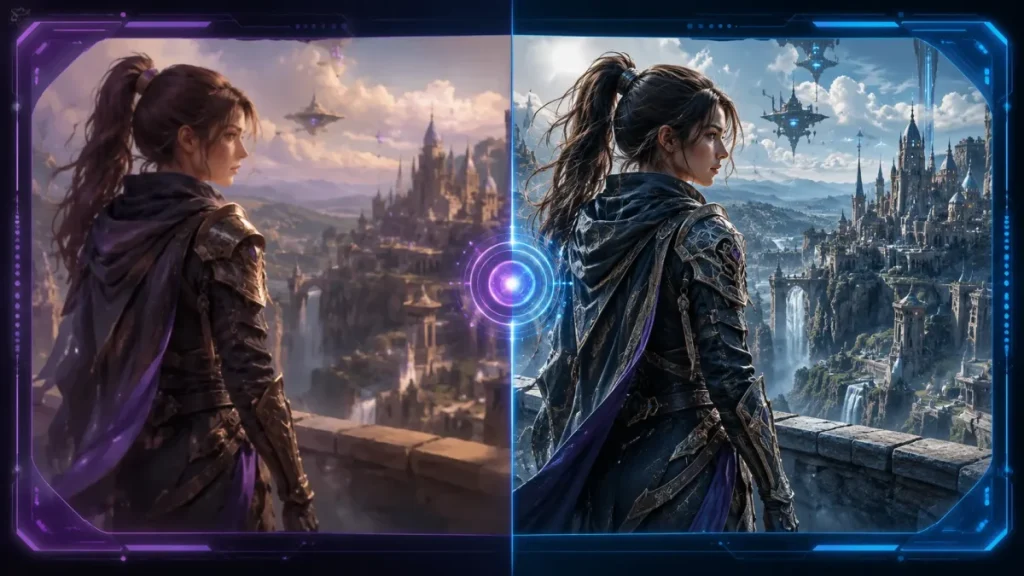
Image quality is difficult to compare because results depend heavily on the prompt, model, settings, references, resolution, style, and user skill. Both Krea AI and Leonardo AI can create professional-looking images, but they tend to serve different creative workflows.
Krea AI is stronger for visual experimentation. Because it supports multiple models and real-time workflows, it is useful when you want to test several directions quickly. You can move between different styles, models, references, and outputs in a more fluid way.
Leonardo AI is stronger for guided image creation. Its Phoenix model family, presets, image guidance, personal AI models, and character-oriented workflows make it easier for many users to create polished, consistent images without managing a complex multi-model setup.
| Image quality factor | Krea AI | Leonardo AI |
|---|---|---|
| Photorealism | Strong, especially when choosing the right model | Strong, especially with Phoenix-based workflows and guided settings |
| Style variety | Very strong due to multi-model workflows | Strong due to presets and style systems |
| Character consistency | Possible with LoRA and reference workflows | Stronger out of the box |
| Beginner results | Good, but broader toolset can feel complex | Very good and easier to control |
| Advanced control | Very strong for power users | Strong for image-first creators |
| Best image use case | Concept art, product visuals, thumbnails, multi-style testing, AI video source images | Game assets, consistent characters, illustrations, marketing graphics, social images |
Verdict: Leonardo AI is easier for consistent image output. Krea AI is better for creators who want more control, more models, and more flexibility across different visual styles.
Real-Time Generation: Krea’s Strongest Differentiator
Krea’s real-time workflow is one of its strongest product advantages. Krea describes its real-time rendering as turning simple primitives into photorealistic images in less than 50 milliseconds. Its real-time workflow updates outputs as you draw, type, or adjust the canvas, which makes the creative process feel more interactive than a traditional prompt-and-wait generator.
This matters because real-time generation changes how you create. Instead of writing a prompt, waiting, adjusting, and waiting again, Krea lets you shape the image visually. For concept art, product visualization, thumbnails, creative direction, and rapid ideation, that speed can be more valuable than a slightly cheaper plan.
Leonardo also offers real-time and canvas-based features, but they are not the platform’s main differentiator. Leonardo is stronger when you want a more structured generate-edit-refine workflow. Krea is stronger when you want to feel your way toward a result through fast visual iteration.
Real-time generation winner
Krea AI wins for real-time generation. Leonardo AI remains easier for users who prefer a more traditional prompt-and-refine workflow.
Video Generation: Krea Has Broader Model Access, Leonardo Now Has Veo 3
Video generation is one of the most important differences between Krea AI and Leonardo AI. Krea is stronger if video is a central part of your workflow. Its platform is built around multiple creative formats, and its public pages list access to major AI video models such as Veo 3, Sora, Kling, Runway, Wan, and Hailuo depending on current availability and plan level.
Leonardo AI has also become more relevant for video. Leonardo now offers access to Google’s Veo 3 and Veo 3.1 on paid plans. Leonardo states that each Veo 3 generation has a fixed cost of 2,500 tokens. That means video can consume a large share of your monthly allowance quickly. For example, on the Essential plan with 8,500 fast tokens/month, three Veo 3 generations would use 7,500 tokens before accounting for any other image or design work.
| Video factor | Krea AI | Leonardo AI |
|---|---|---|
| Video positioning | Core platform feature | Available, but image generation remains the main workflow |
| Named video models | Veo 3, Sora, Kling, Runway, Wan, Hailuo, depending on availability | Veo 3 and Veo 3.1 available on paid plans |
| Usage system | Compute units | Tokens |
| Specific cost example | Depends on model and compute usage | Veo 3 generation: 2,500 tokens |
| Best for | AI video creators testing multiple models | Creators who want Veo inside Leonardo’s image/design workflow |
Verdict: Krea AI is better if you want broader AI video model access. Leonardo AI is now more competitive for video than before, especially because Veo 3 is available inside the platform, but the 2,500-token cost per Veo 3 generation means heavy video users may burn through tokens quickly.
For broader AI video safety considerations, including likeness, consent, and commercial-use questions, see our reviews of Viggle AI and Pollo AI.
Character Consistency: Leonardo AI Has the Advantage
Character consistency is one of Leonardo AI’s strongest use cases. If you are creating a recurring character, mascot, game asset, comic figure, product avatar, or visual series, Leonardo’s workflow is easier to recommend. Its image guidance, personal AI models, presets, and consistency-focused features make it easier to keep a subject recognizable across multiple generations.
Krea can also support consistency through LoRA fine-tuning, reference images, and careful workflow design. For advanced users, Krea can be very powerful because you can combine custom LoRAs with different image and video models. However, that flexibility comes with more complexity.
For the average creator who wants consistent characters without building a more advanced workflow, Leonardo is usually easier. For advanced creators who want consistent characters across images, videos, and multi-step production pipelines, Krea may offer more long-term flexibility.
| Consistency factor | Krea AI | Leonardo AI |
|---|---|---|
| Recurring characters | Possible with LoRA and references | Stronger and easier for most users |
| Game assets | Useful, especially for advanced workflows | Very strong use case |
| Brand mascots | Good with training and references | Good with personal models and image guidance |
| Beginner-friendliness | More complex | Easier |
| Advanced flexibility | Stronger | Strong but more image-focused |
Verdict: Leonardo AI wins for character consistency out of the box. Krea AI is better if you want to build a more flexible consistency workflow across image, video, LoRA, and model switching.
LoRA and Custom Model Training
Both Krea AI and Leonardo AI support custom visual workflows, but they use different language and product structures.
Krea’s LoRA fine-tuning is useful if you want to personalize image and video generation with your own characters, styles, products, objects, or brand visuals. LoRA training can help creators reproduce a specific look instead of relying only on prompts. This is valuable for agencies, social media brands, product visualization, AI video creators, and teams that need a consistent visual identity.
Leonardo’s personal AI models are useful for creators who want consistent image outputs, recurring styles, game assets, characters, or branded visuals. Leonardo’s pricing page lists personal AI model allowances by plan, including 10 personal AI models on Essential, 20 on Premium, and 50 on Ultimate.
If your goal is to train a specific style or character for image generation, Leonardo may feel easier. If your goal is to build a broader production system using LoRA, video, upscaling, and model switching, Krea offers more workflow flexibility.
Custom model winner
Leonardo AI is easier for image-first custom models. Krea AI is stronger for advanced LoRA-based workflows that may extend beyond static images.
Upscaling and Enhancement
Upscaling is important because AI-generated images and videos often need cleanup before they are ready for publication. Both platforms support enhancement workflows, but Krea places more emphasis on upscaling as part of a broader production suite.
Krea includes image upscaling and video upscaling as major feature areas. This is useful for creators who need higher-resolution images, sharper details, improved video quality, or production-ready visual assets. Krea is especially relevant if your workflow involves generating an image, improving it, animating it, and then enhancing the final output.
Leonardo also includes upscaling features, including its Universal Upscaler, which is designed to improve image quality and detail. For image-first creators, Leonardo’s upscaling tools are often enough. For creators working across images and videos, Krea’s broader enhancement stack may be more useful.
Upscaling winner
Krea AI wins for broader image and video enhancement workflows. Leonardo AI remains strong for image upscaling inside a simpler image-generation platform.
Ease of Use: Leonardo AI Is Easier for Beginners
Leonardo AI is easier for most beginners. The interface is polished, the token system is straightforward, and the platform is built around helping users generate strong images without needing to understand every underlying model. If you are new to AI image generation, Leonardo will probably feel more approachable.
Krea AI is not necessarily difficult, but it is broader. Because it includes many models, video tools, 3D, upscaling, LoRA, real-time workflows, Apps, Nodes, and API options, there is more to explore. That is a strength for power users, but it can feel overwhelming if you only want occasional images.
| User type | Better choice | Why |
|---|---|---|
| Beginner | Leonardo AI | Simpler image workflow and clearer token system |
| Blogger | Leonardo AI or Krea AI | Leonardo for simple images; Krea for richer visual workflows |
| AI video creator | Krea AI | Broader video model access and production features |
| Game asset creator | Leonardo AI | Strong consistency and asset-oriented workflow |
| Agency | Krea AI | Workflow tools, team options, multi-format production |
| Canva user | Leonardo AI | Better ecosystem fit |
| Advanced AI creator | Krea AI | More models, LoRA, video, upscaling, Nodes, Apps |
Verdict: Leonardo AI wins for ease of use. Krea AI wins for flexibility and advanced creative workflows.
Commercial Use and Privacy
Both Krea AI and Leonardo AI can be used for commercial work on paid plans, but creators should not confuse “commercial use allowed” with “zero legal risk.” That distinction matters for every AI image and video platform.
Krea’s paid plans include a commercial license, and higher-tier plans offer more business-oriented options. Leonardo’s paid plans include private creations and are designed for professional creator workflows. However, both tools operate in the broader AI image and video generation category, where copyright, likeness, training data, and brand-safety questions are still evolving.
For low-risk uses such as blog graphics, social media concepts, moodboards, internal mockups, or non-branded creative exploration, both platforms can be practical. For higher-risk uses such as packaging, paid ads, brand mascots, merchandise, book covers, celebrity-like imagery, or visuals that resemble known characters, you should be more careful.
Commercial-use checklist
- Use paid plans for client or business work. Free tiers are usually not the right place for private or commercial production.
- Avoid trademarks and copyrighted characters. Do not generate images that closely resemble protected brands, movie characters, game characters, or celebrity likenesses.
- Be careful with living artists’ styles. Avoid prompts that directly ask for output “in the style of” a specific living artist for commercial publication.
- Review important assets manually. AI-generated images can contain artifacts, accidental similarities, distorted logos, or unclear ownership risks.
- Read the current terms before publishing commercially. Platform terms can change, especially around model access, privacy, and commercial rights.
For deeper category context, see our AI Tool Safety Reviews hub, our Leonardo AI safety review, and related reviews such as SeaArt AI.
Krea AI vs Leonardo AI for Bloggers
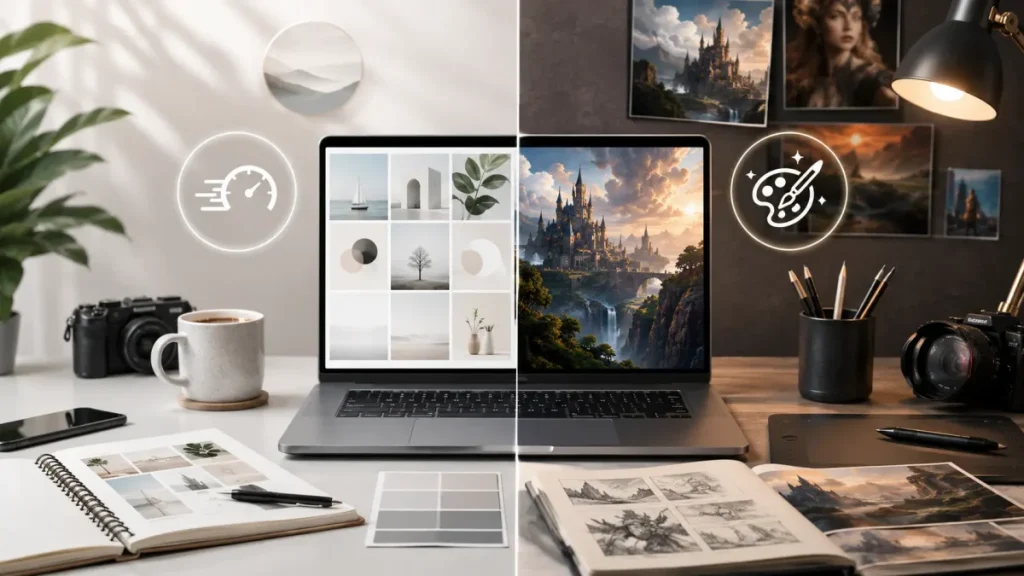
For bloggers, the best choice depends on what kind of images and assets you create.
If you mainly need blog post covers, simple comparison graphics, featured images, thumbnails, or concept illustrations, Leonardo AI may be enough. It is easier to use, its token system is clear, and it can produce polished images quickly.
If your blog also uses AI video, animated visuals, social clips, product mockups, upscaled images, or more advanced creative workflows, Krea becomes more attractive. It gives you a wider creative system that can support more than static blog images.
For a site like AI Everyday Tools, both platforms can be useful. Leonardo is better for straightforward article visuals. Krea is better if you want to create more distinctive visual assets, comparison images, video snippets, social media clips, and reusable creative workflows from the same platform.
For broader AI tool research that supports blogger workflows, see our AI Tool Safety Reviews hub, AI tool comparisons, and AI image & design tools.
Best Use Cases for Krea AI
Krea AI is the better choice if your workflow includes more than static image generation. It is especially useful for:
- AI video creators who want access to multiple major video models from one workspace.
- Short-form content creators making Reels, TikToks, YouTube Shorts, product clips, or experimental video concepts.
- Agencies and production teams that need repeatable workflows, Nodes, Apps, and team-based creative systems.
- Concept artists and designers who want fast visual iteration instead of slow prompt cycles.
- Product visualizers who need image generation, upscaling, 3D, and controlled variations.
- Advanced creators who like switching between different models for different creative tasks.
- Creators working across image and video who want a single tool for ideation, generation, animation, and enhancement.
Krea is less ideal if you only need occasional images, want the simplest possible interface, or mainly care about guided character consistency.
Best Use Cases for Leonardo AI
Leonardo AI is the better choice if your workflow is mostly image-based and you care about consistency, polish, and ease of use. It is especially useful for:
- Bloggers and marketers who need strong images without complex model management.
- Game asset creators who want consistent styles, objects, environments, and characters.
- Illustrators and concept artists who prefer a guided image-generation workflow.
- Canva users who want an AI image platform connected to a larger design ecosystem.
- Creators building recurring characters for social media, comics, mascots, or brand visuals.
- Beginners who want a more approachable AI image generator.
- Image-first creators who want predictable tokens, presets, private generations, and personal AI models.
Leonardo is less ideal if your main goal is broad AI video generation, multi-model experimentation, or node-based production workflows.
For users exploring NSFW-tolerant or experimental AI image platforms outside the Krea/Leonardo mainstream, see our Perchance AI safety review.
Realistic Concerns That Apply to Both
Even though Krea AI and Leonardo AI are serious platforms, users should understand the risks and limitations that apply to both.
1. Pricing can change quickly
AI platforms frequently update plan names, usage limits, model access, billing rules, and commercial-use terms. A plan that includes a specific model today may change later. Always check the official pricing pages before subscribing.
2. Credits, compute units, and tokens are not always easy to compare
Krea uses compute units. Leonardo uses tokens. A simple image, high-resolution image, video clip, upscaling task, or third-party model generation may all consume resources differently. The real value depends on your actual workflow.
3. Video generation can consume resources quickly
Video is much more resource-intensive than basic image generation. Leonardo’s Veo 3 cost example makes this clear: one Veo 3 generation costs 2,500 tokens. On lower plans, only a few video generations can consume most of the monthly allowance.
Leonardo now offers access to Google’s Veo 3 and Veo 3.1 on paid plans.
4. Commercial use does not remove every legal risk
Paid plans may allow commercial use, but that does not guarantee that every generated image or video is legally risk-free. Be especially careful with logos, celebrities, copyrighted characters, brand lookalikes, and outputs that resemble living artists’ styles.
5. AI image quality is prompt-dependent
Neither platform is automatically better for every image. The same prompt can produce very different results depending on the model, settings, reference images, and prompt structure. Test with your actual use case before choosing.
6. Free plans are best for testing, not production
Free tiers are useful for learning the interface, but they are usually not the right choice for serious client work, private projects, or commercial assets.
Final Verdict: Is Krea AI or Leonardo AI Better?
Krea AI is better for creators who want a flexible AI production suite. It is the stronger choice if you care about real-time generation, video model access, multi-model workflows, 3D generation, upscaling, LoRA fine-tuning, generative editing, and node-based creative automation. Krea is especially strong for advanced creators, agencies, AI video creators, and teams that want one workspace for many visual AI tasks.
Leonardo AI is better for creators who want a focused, polished AI image platform. It is easier to recommend for image-first workflows, character consistency, game assets, illustrations, Phoenix-based outputs, style presets, private creations, personal AI models, and Canva-connected creative work. Leonardo is also easier for beginners and creators who do not want to manage a large multi-model workflow.
For most users, the decision is simple:
- Choose Krea AI if you want image + video + models + real-time workflows + upscaling + LoRA + production tools in one creative suite.
- Choose Leonardo AI if you want polished image generation, character consistency, private creations, personal AI models, and a simpler creative workflow.
Neither tool is universally better. Krea is more powerful and flexible. Leonardo is more accessible and focused. The best choice depends on what you actually create.
For broader context, see our Leonardo AI safety review, our AI Tool Safety Reviews hub, and our AI tool comparisons.
Frequently Asked Questions
Which is better, Krea AI or Leonardo AI?
Krea AI is better for real-time generation, multi-model workflows, AI video, upscaling, 3D, LoRA, and workflow automation. Leonardo AI is better for accessible image generation, Phoenix-based outputs, character consistency, style presets, game assets, private creations, personal AI models, and Canva-connected workflows. Krea is more flexible. Leonardo is easier to use.
How much does Krea AI cost?
Krea AI offers a free plan with 100 compute units/day and paid plans such as Basic, Pro, Max, Business, and Enterprise. As of June 2026, Basic costs $9/month or $63/year and includes 5,000 compute units/month. Pro costs $35/month or $252/year and includes 20,000 compute units/month. Max costs $105/month or $756/year and includes 60,000 compute units/month. Krea uses compute units rather than tokens.
How much does Leonardo AI cost?
Leonardo AI offers a free plan and paid plans such as Essential, Premium, and Ultimate. As of June 2026, the free plan includes 150 fast tokens/day. Essential costs $12/month and includes 8,500 fast tokens/month. Premium costs $30/month and includes 25,000 fast tokens/month. Ultimate costs $60/month and includes 60,000 fast tokens/month. Annual billing may offer discounts depending on the current pricing page.
Which is cheaper, Krea AI or Leonardo AI?
Leonardo AI is easier to compare for pure image generation because its token limits are clearly listed by plan. Krea AI may be better value for users who also need video generation, upscaling, 3D, real-time rendering, LoRA fine-tuning, and multi-model workflows. If you only need static images, Leonardo may be simpler. If you need a broader AI production suite, Krea may offer more value.
Does Krea AI have real-time generation?
Yes. Krea AI’s real-time tools are one of its main advantages. Krea describes its real-time rendering as turning simple primitives into photorealistic images in less than 50 milliseconds, and its real-time workflow updates as you draw, type, or adjust the canvas.
Does Leonardo AI use the Phoenix model?
Yes. Leonardo AI is known for its Phoenix model family, which is designed for strong prompt adherence, detailed image generation, and polished outputs inside Leonardo’s creative workflow.
Does Leonardo AI have private generations?
Yes. Leonardo AI’s paid plans include private creations. The free plan lists public creations, while Essential, Premium, and Ultimate list private creations.
Does Krea AI include video generation?
Yes. Krea AI includes AI video generation and supports multiple major video models depending on plan level and current availability. Krea is stronger than Leonardo if video generation is a central part of your workflow.
Does Leonardo AI include video generation?
Yes. Leonardo AI includes video-related features and offers access to Veo 3 and Veo 3.1 on paid plans. However, video generation can consume many tokens. Leonardo states that each Veo 3 generation has a fixed cost of 2,500 tokens.
How many Leonardo tokens does Veo 3 use?
Leonardo AI states that each Veo 3 generation has a fixed cost of 2,500 tokens. That means video generation can consume tokens quickly. On the Essential plan with 8,500 monthly fast tokens, three Veo 3 generations would use 7,500 tokens.
Which has better model access, Krea AI or Leonardo AI?
Krea AI has broader model access because it is built as a multi-model creative suite for image, video, 3D, upscaling, editing, LoRA, and real-time generation. Leonardo AI is more curated and focused on image generation, Phoenix-based outputs, style control, private creations, personal AI models, and consistency-focused workflows.
Which is better for character consistency?
Leonardo AI is generally better for character consistency, especially for users who want a more guided workflow for recurring characters, game assets, mascots, or visual series. Krea can also support consistency through LoRA and references, but Leonardo is easier for this specific use case.
Which is better for AI video creators?
Krea AI is the better choice for AI video creators because it gives broader access to multiple video models and is designed as a more flexible creative production suite. Leonardo is better if your main output is static images but you occasionally want access to video features such as Veo 3.
Can I use Krea AI for commercial work?
Yes, Krea AI allows commercial use on paid plans. However, you should still review the current terms and avoid generating outputs that closely resemble copyrighted characters, trademarks, celebrities, or protected brand assets.
Can I use Leonardo AI for commercial work?
Yes, Leonardo AI supports commercial creator use on paid plans. For a deeper look at privacy, commercial use, training data, and platform safety, read our full Leonardo AI safety review.
Is Krea AI good for beginners?
Krea AI can be used by beginners, but it is better suited to users who want to explore advanced creative workflows. Because it includes many models and features, it may feel more complex than Leonardo at first.
Is Leonardo AI good for beginners?
Yes. Leonardo AI is one of the more beginner-friendly AI image platforms because it offers a polished interface, presets, image tools, private generations on paid plans, and a more guided creation process.
Should I subscribe to both Krea AI and Leonardo AI?
Most creators do not need both at first. Start with Krea if you need video, real-time generation, upscaling, LoRA, and multi-model workflows. Start with Leonardo if you mainly need image generation, character consistency, private creations, personal AI models, and a simpler interface. Production teams or heavy creators may eventually benefit from using both.
Which tool is better for blog images?
Leonardo AI is usually easier for simple blog images, featured images, and consistent visuals. Krea AI is better if you want more advanced creative assets, animated visuals, AI video clips, or multi-model experimentation for your blog.
Which tool is better for social media content?
Krea AI is better for social media creators who want to generate both images and videos. Leonardo AI is better for static posts, character-based content, polished visual styles, and creators who prefer a simpler image workflow.
About this comparison: Written by Daniel at AI Everyday Tools, following our AI tool review methodology and detailed testing methodology guide. This comparison is based on Krea AI’s and Leonardo AI’s official websites, pricing pages, product documentation, Canva’s official Leonardo.Ai acquisition announcement, and current public information about AI image and video generation. Platform pricing, plan names, model access, token costs, compute units, and commercial-use terms can change frequently. Always confirm the latest details on the official Krea AI and Leonardo AI websites before subscribing or using either platform for commercial production.